GB
38
Shooting still images continuously
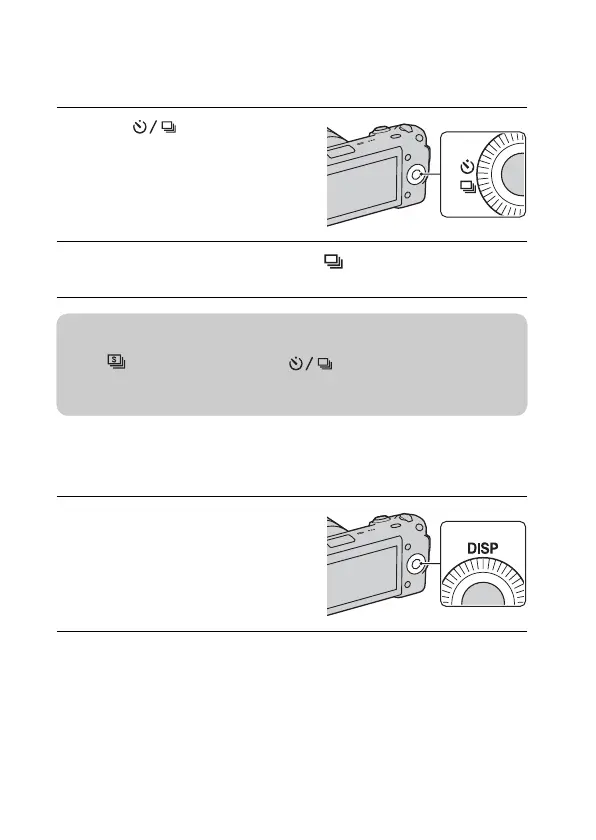
The camera records images continuously while you press and hold down the
shutter button (max. 2.3 images per second).
Changing the screen display (DISP)
1
Press (Drive Mode) on
the control wheel.
2
Turn the control wheel to select (Continuous Adv.), and
press the center.
1
Press DISP (Display
Contents) on the control
wheel.
z To shoot continuously at a higher speed
Select (Speed Priority Cont.) from (Drive Mode) to shoot more
images continuously (max. 7 images per second). The focus and exposure of the
first shot are used for the following shots.


 To Next Page