GB
28
Mastering the basic operation
Recording movies
4
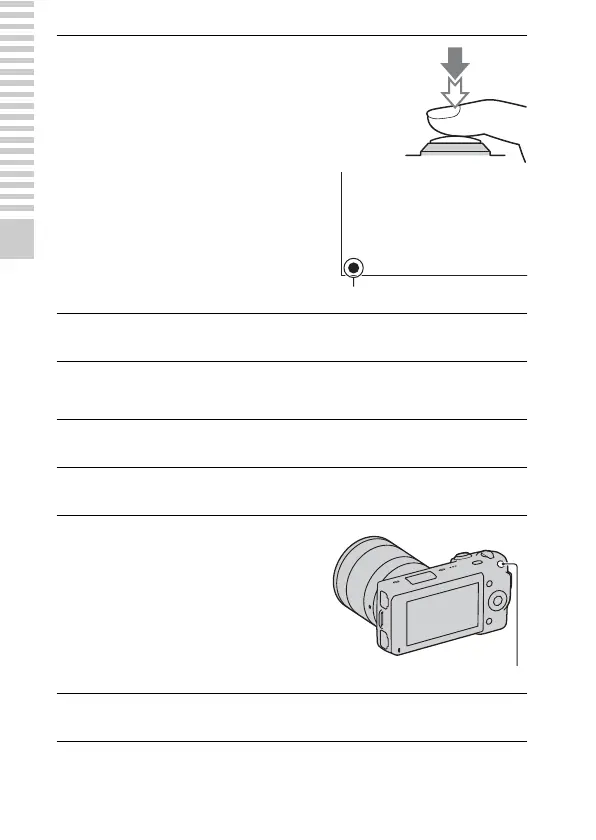
Press the shutter button
halfway down to focus.
When the focus is confirmed, beeps
sound and z lights up.
Focus indicator
5
Press the shutter button fully down to shoot.
1
Set the power switch to ON to turn on the camera.
2
Point the camera to the subject.
3
Press the MOVIE button to
start recording.
Focus and brightness are adjusted
automatically.
MOVIE button
4
Press the MOVIE button again to stop recording.


 To Next Page