GB
22
Preparing the camera
x
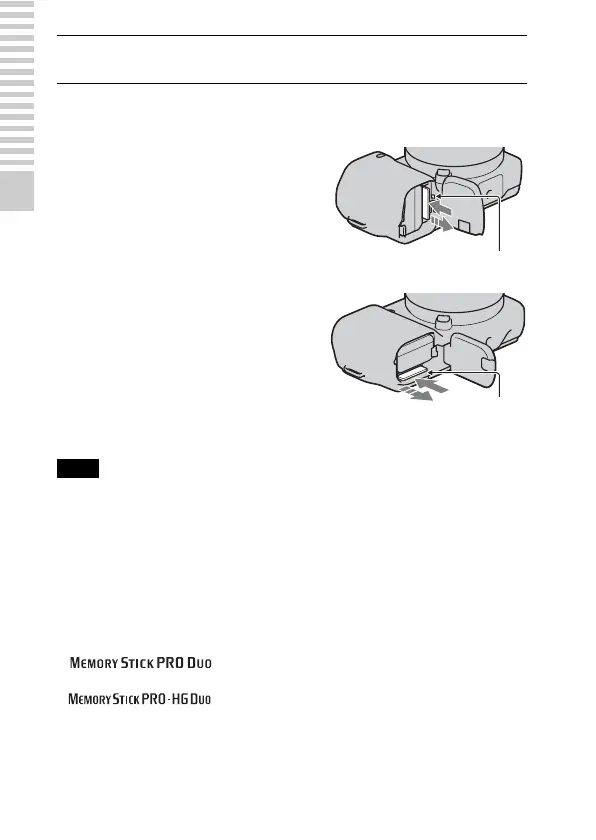
Removing the memory card
• When the access lamp is lit, do not remove the memory card or the battery pack, or
turn off the power. The data may be corrupted.
x
Memory cards that you can use
You can use following memory cards with this camera: “Memory Stick PRO
Duo” media, “Memory Stick PRO-HG Duo” media, SD memory card, SDHC
memory card, and SDXC memory card. You cannot use MultiMediaCard.
For recording movies, it is recommended that you use following memory
cards.
• (Mark2) (“Memory Stick PRO Duo” media
(Mark2))
• (“Memory Stick PRO-HG Duo” media)
• SD memory card, SDHC memory card, SDXC memory card (Class 4 or
more)
3
Close the cover.
Open the cover, make sure that the access
lamp is not lit, and push the memory card
once.
Note
NEX-5/5C
Access lamp
NEX-3/3C
Access lamp


 To Next Page