GB
23
Preparing the camera
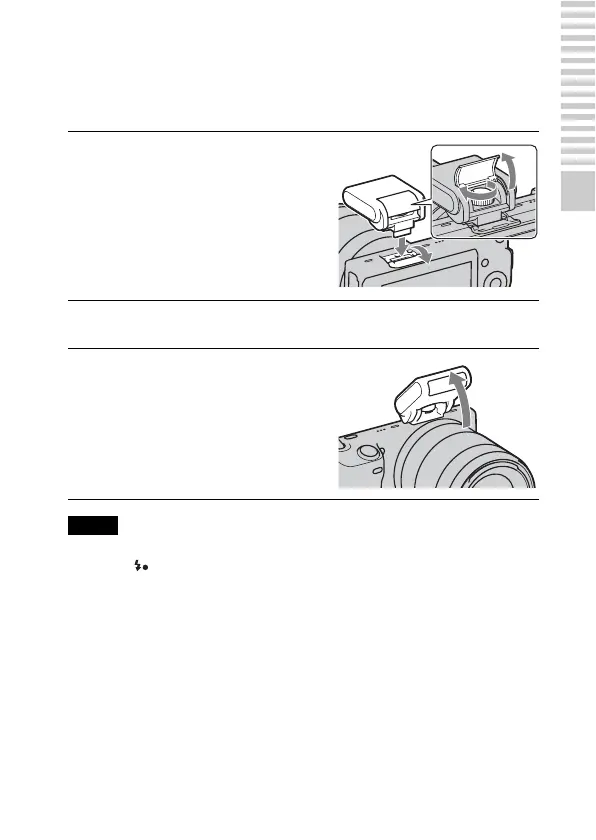
Attaching the flash
When you want to use a flash during shooting, attach the flash device
(supplied).
The flash is enabled when it is raised, and disabled when lowered.
• The power for the flash is provided from the camera. When the camera is charging
the flash, blinks on the LCD monitor. You cannot press the shutter button
when this icon is blinking.
• Plug the flash fully into the accessory terminal of the camera, and fasten the screw
securely. Make sure that the flash is attached to the camera securely.
1
Attach the flash to the smart
accessory terminal of the
camera.
• When using the E18 – 200 mm lens,
you must attach the extender
(page 24).
2
Fasten the screw to secure the flash.
3
To fire the flash, raise the
flash first.
• Lower the flash when you do not
intend to use it.
Notes


 To Next Page