26
Getting started
You can attach the
optional battery pack.
See “Using the
rechargeable battery
pack” (page 71).
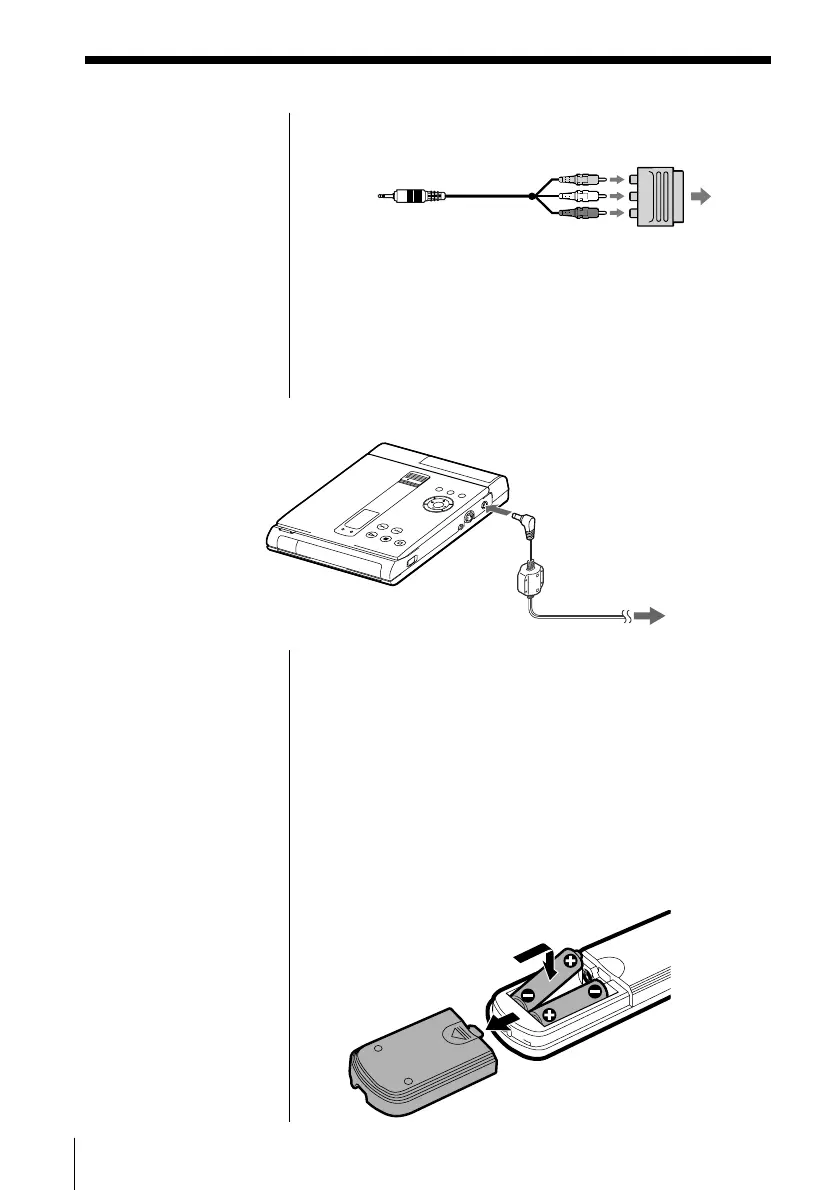
If your TV has a EURO AV (SCART) connector
Use the supplied Scart adapter.
If your TV has an S video input connector
Connect the component via the S VIDEO OUT
connector using the S video cable (not supplied)
instead of the video connecting cord. You will get a
better picture.
2 Connecting the AC power adapter
1 Connect the supplied AC power adapter to this
player and the mains.
2 Press POWER.
The POWER indicator lights up green.
To the mains
To DC IN 10V
AC power adapter
(supplied)
This unit
TV
When to replace
batteries
With normal use, the
batteries should last for
about six months. When
the remote no longer
operates the unit, replace
all the batteries with new
ones.
Inserting batteries into the remote
You can control the unit using the supplied remote.
Insert two R6 (size AA) batteries (not supplied) by
matching the + and – ends on the batteries to those
inside the battery compartment.



 To Next Page