70
Additional operations
Connecting to a digital component such as an
amplifier with a digital input connector, DAT
or MD
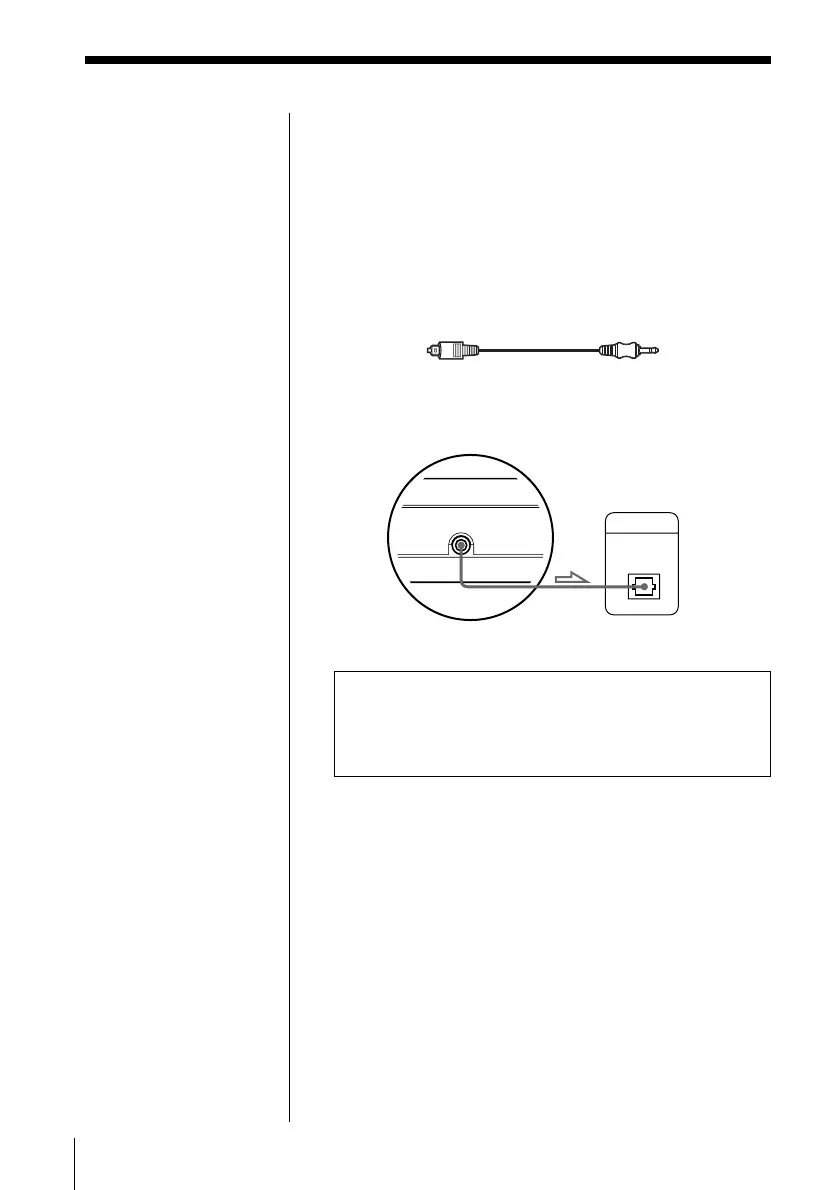
Connect the component via the PCM/MPEG/DOLBY
DIGITAL connector using an optical digital cable (not
supplied).
When you play a DVD VIDEO, set “DIGITAL OUT”
in “INITIAL SETUP” to “D-PCM” (page 63).
Insert the plug firmly.
When you make the connections above, set “DIGITAL
OUT” in “INITIAL SETUP” to “D-PCM” (Downmix
PCM). Otherwise, a loud noise will suddenly come out
from the speakers, affecting your ears or causing the
speakers to be damaged.
Notes
• Refer to the
instructions supplied
with the component
to be connected.
• You cannot make
digital audio
recordings of discs
recorded in Dolby
Digital (AC-3) format
directly using an MD
deck or DAT deck.
Note on digital recording
This player can be
connected to an optional
MD unit. Before making a
digital recording, be sure
that “CD” appears in the
front panel display after
turning this player on or
closing the disc cover.
Otherwise, the track
numbers may not be
recorded correctly.
Amplifier with a digital
connector, MD deck, DAT
deck, etc.
This unit
Optical digital cable
(not supplied)
DIGITAL IN
OPTICAL
DIGITAL OUT (OPTICAL)
PCM/MPEG/
DOLBY DIGITAL



 To Next Page