Help Guide
Linear PCM Recorder
PCM-A10
Adjusting the musical pitch (Key Change)
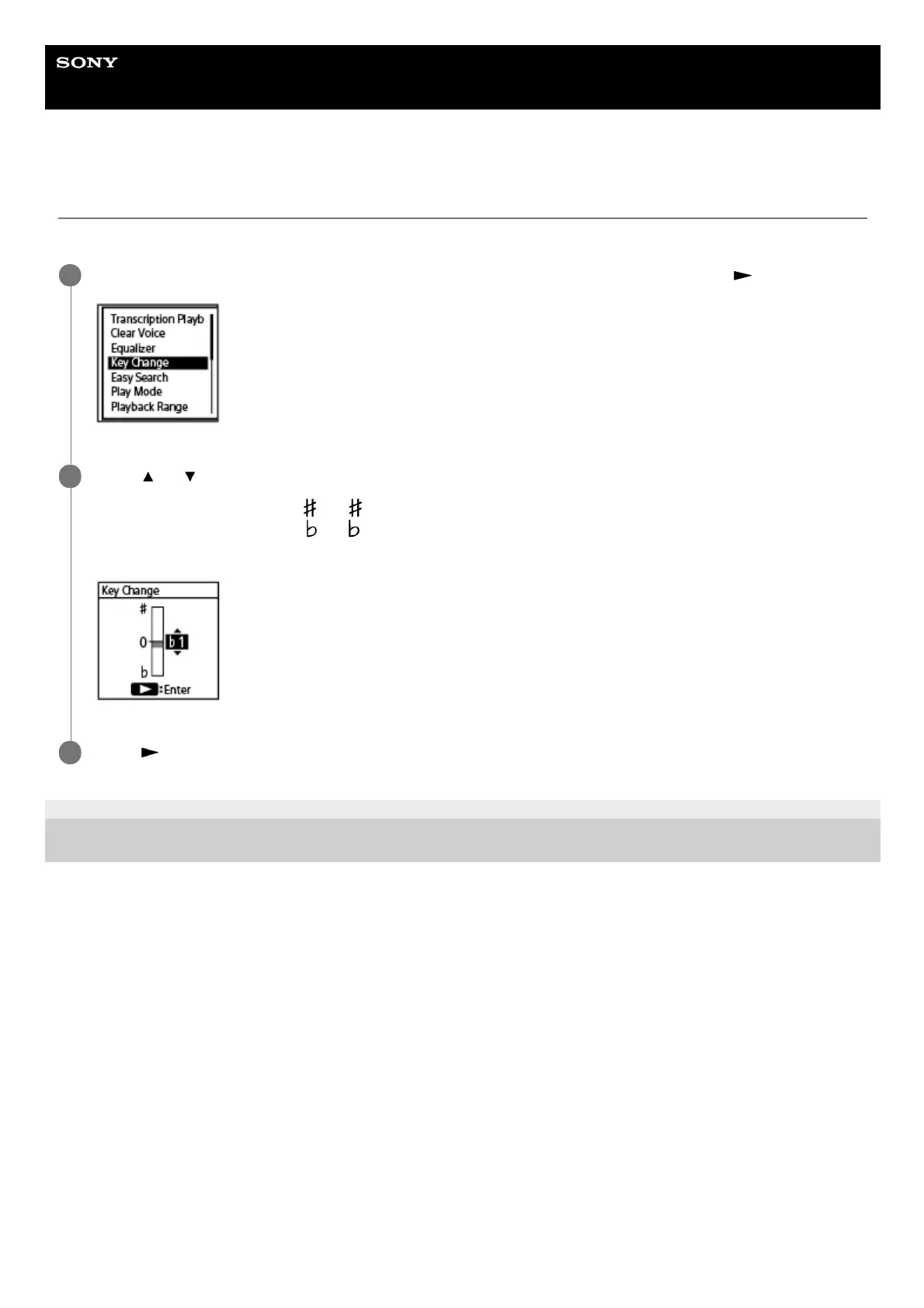
You can change the musical pitch (key) without changing the playback speed of music files or recorded files.
4-740-912-31(2) Copyright 2018 Sony Corporation
While playback is in progress, select [Key Change] on the OPTION menu, and then press
.
1
Press
or to adjust the musical pitch.
To raise in pitch by a half step (
1 to 6)
To lower in pitch by a half step (
1 to 6)
By default, the musical pitch is set to [0].
2
Press
.
3



 To Next Page