Help Guide
Linear PCM Recorder
PCM-A10
Listening to sound in loud volume
The built-in speaker is provided mainly for checking recorded audio files. If you find the volume not loud enough or have
difficulty in understanding what you hear, use headphones (not supplied) or active speakers (not supplied).
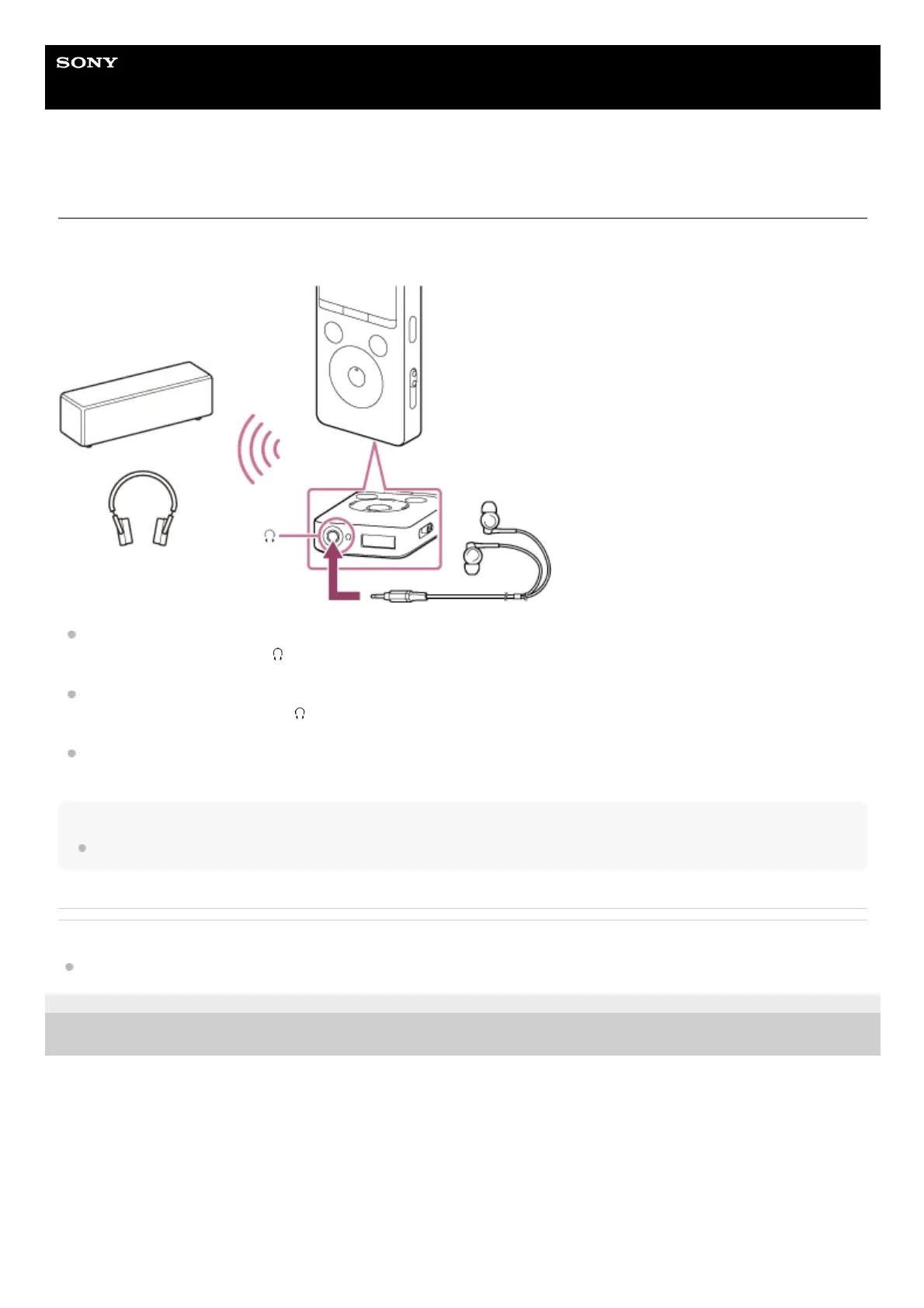
Use headphones:
Connect headphones to the
(headphones) jack.
Use external speakers:
Connect active speakers to the
(headphones) jack.
Use a Bluetooth audio device:
Connect to a Bluetooth audio device via a Bluetooth connection. Then, you can listen to audio wirelessly.
Note
Connecting headphones or active speakers to your linear PCM recorder disables the built-in speaker.
Related Topic
Registering (pairing) an audio device and establishing a Bluetooth connection
4-740-912-31(2) Copyright 2018 Sony Corporation



 To Next Page