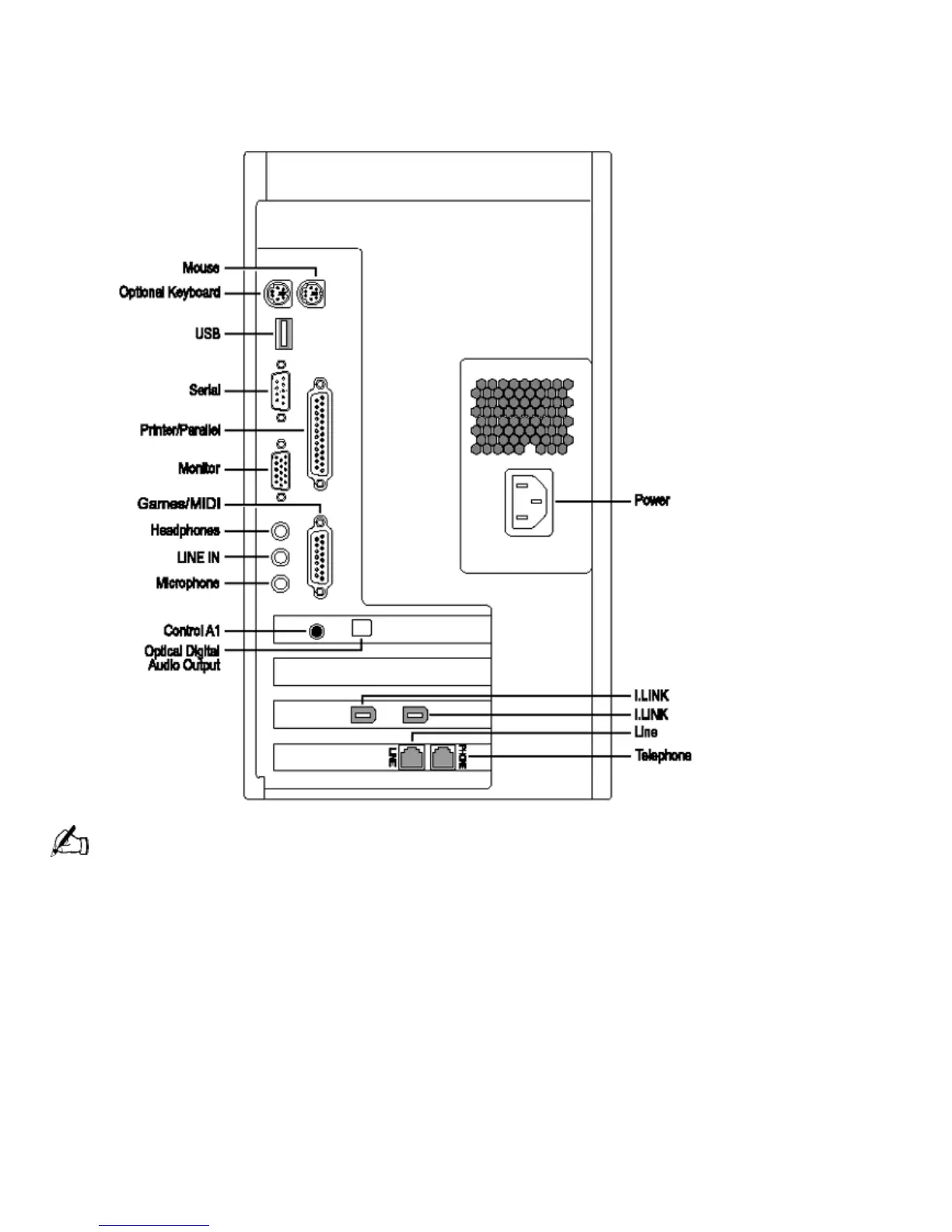
Back Panel Overview
The back panel of your computer contains the connectors where you plug in supplied and optional
accessories. The icons on the back panel serve as a map to help you locate the connectors on your
computer.
For your convenience, your computer includes USB and i.LINK connectors on both the front and back panels,
allowing you to connect to either set of connectors. i.LINK connectors on the back of your system are 6-pin
connectors.
Front Panel Overview
The front panel of your VAIO Digital Studio Computer allows for access to the diskette and
DVD-ROM drives. It also includes USB and i.LINK
ports to connect USB devices, CD changers,
Minidisc editors, or other components.
Page 21





 To Next Page