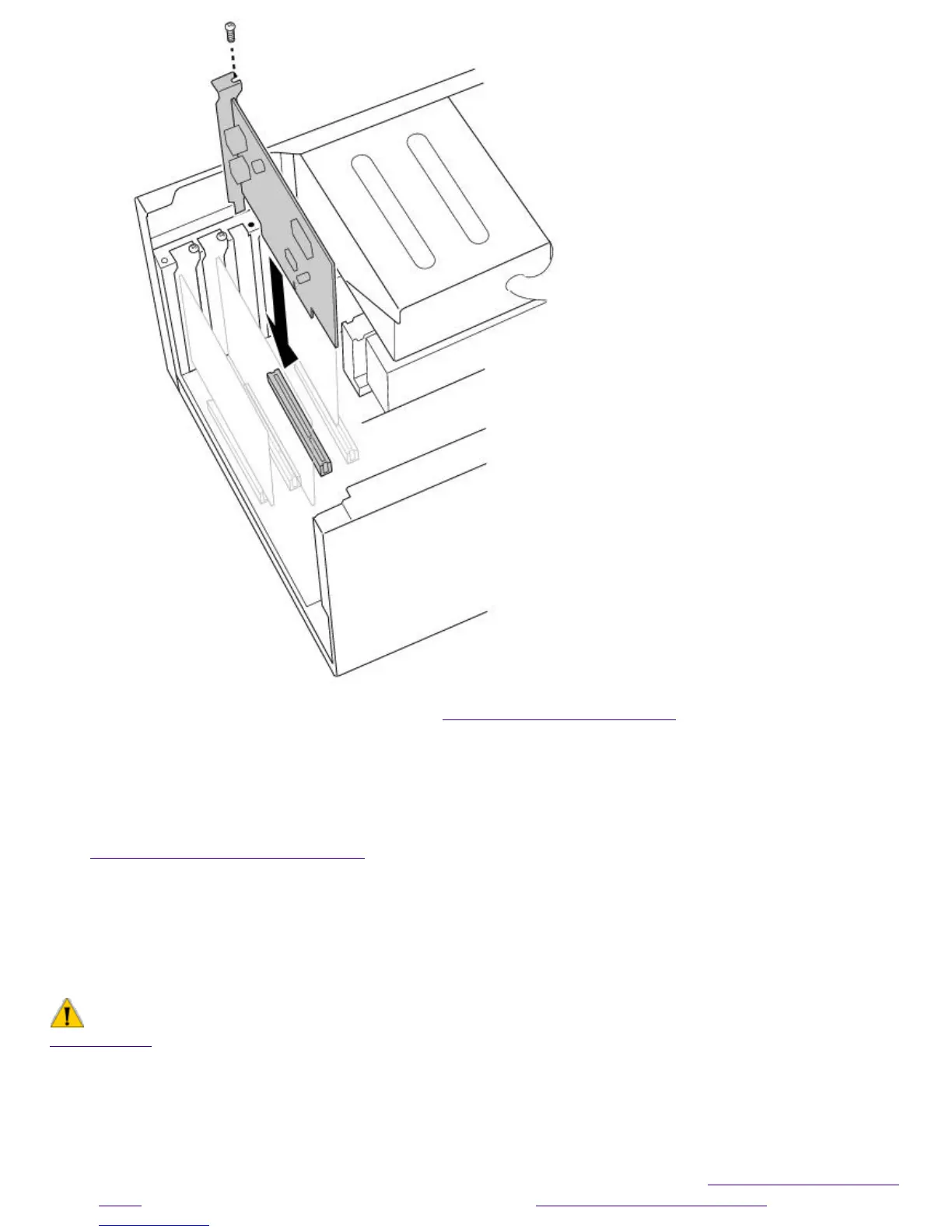
7.
Replace the left-side panel as described in Replacing the Left-Side Panel.
Adding Memory
In order to increase your computer's memory, you may need to remove one of the
factory-installed DIMMs and replace it with one of greater capacity. For details, see the VAIO Digital
Studio Computer Reference Manual, which is available at Sony's Web site at
http://www.sony.com/pcsupport.
For memory upgrades, use only 3.3V unbuffered 4-clock 64-bit 66 MHz SDRAM DIMM module
Rev1.0 or 3.3V unbuffered 4-clock 72-bit 66 MHz SDRAM DIMM module Rev1.0. For more
information on Digital Studio Computer compatible memory, call Sony at 1-888-4SONYPC
(1-888-476-6972).
To install memory
Make sure you observe the proper safety precautions when you add DIMMs to your Sony computer. See
Notes on Use .
1.
Shut down your computer and turn off all peripheral devices, such as your printer, display, and
speakers.
2.
Unplug your computer and any peripheral devices.
3.
Remove the left-side panel, bottom panel, and front panel, as described in Removing the Left-Side
Panel. Then detach the diskette drive, as described in Detaching the Diskette Drive.
Page 730





 To Next Page