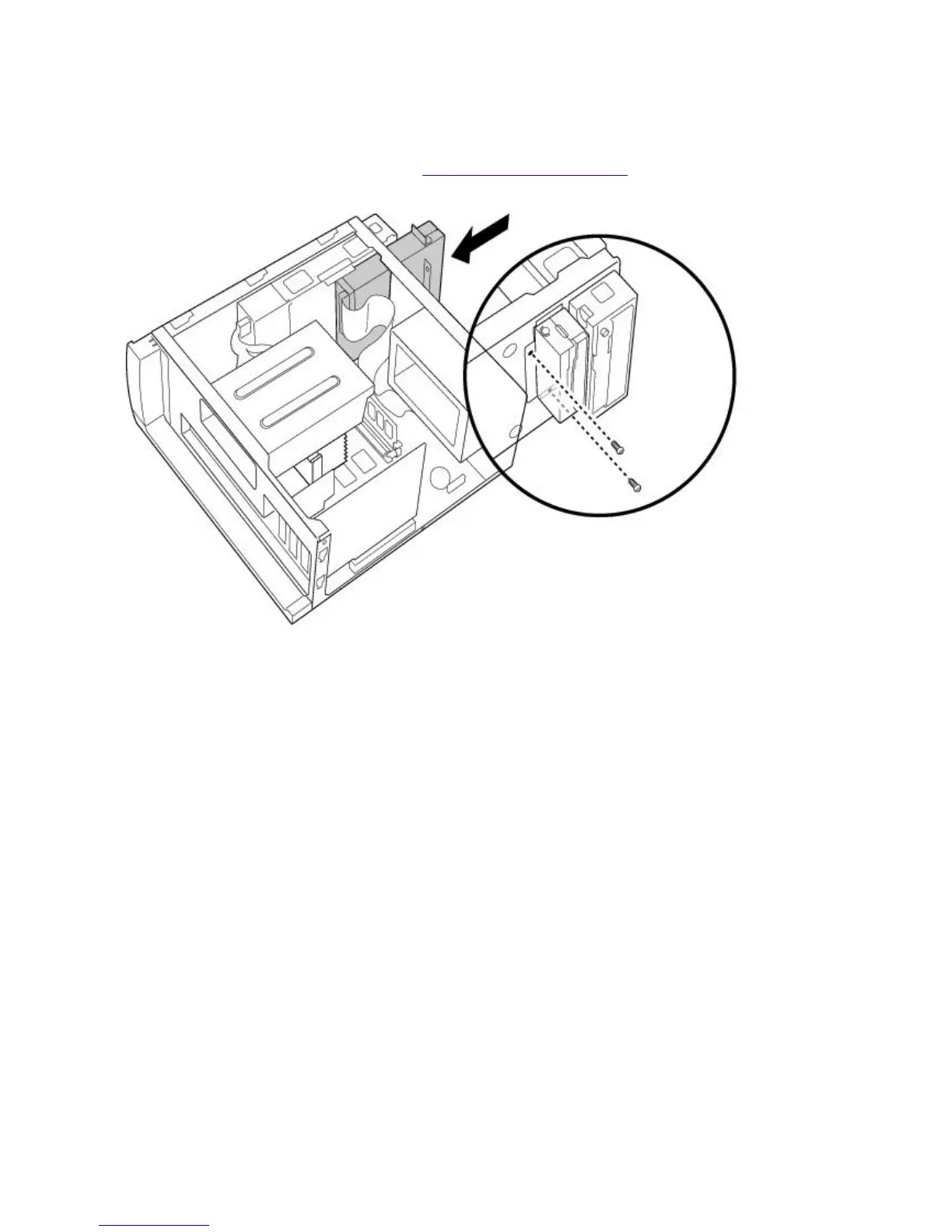
Replacing the Diskette Drive
To replace the diskette drive
1.
Push the diskette drive straight into the drive slot.
2.
Replace the two screws that secure the diskette drive to the front of the chassis.
3.
Replace the front panel, as described in Replacing the Front Panel.
Replacing the Bottom Panel
To replace the bottom panel
1.
Align the bottom panel with the screw hole on the bottom of the chassis.
2.
Replace the screw that secures the bottom panel to the chassis.
Page 665





 To Next Page