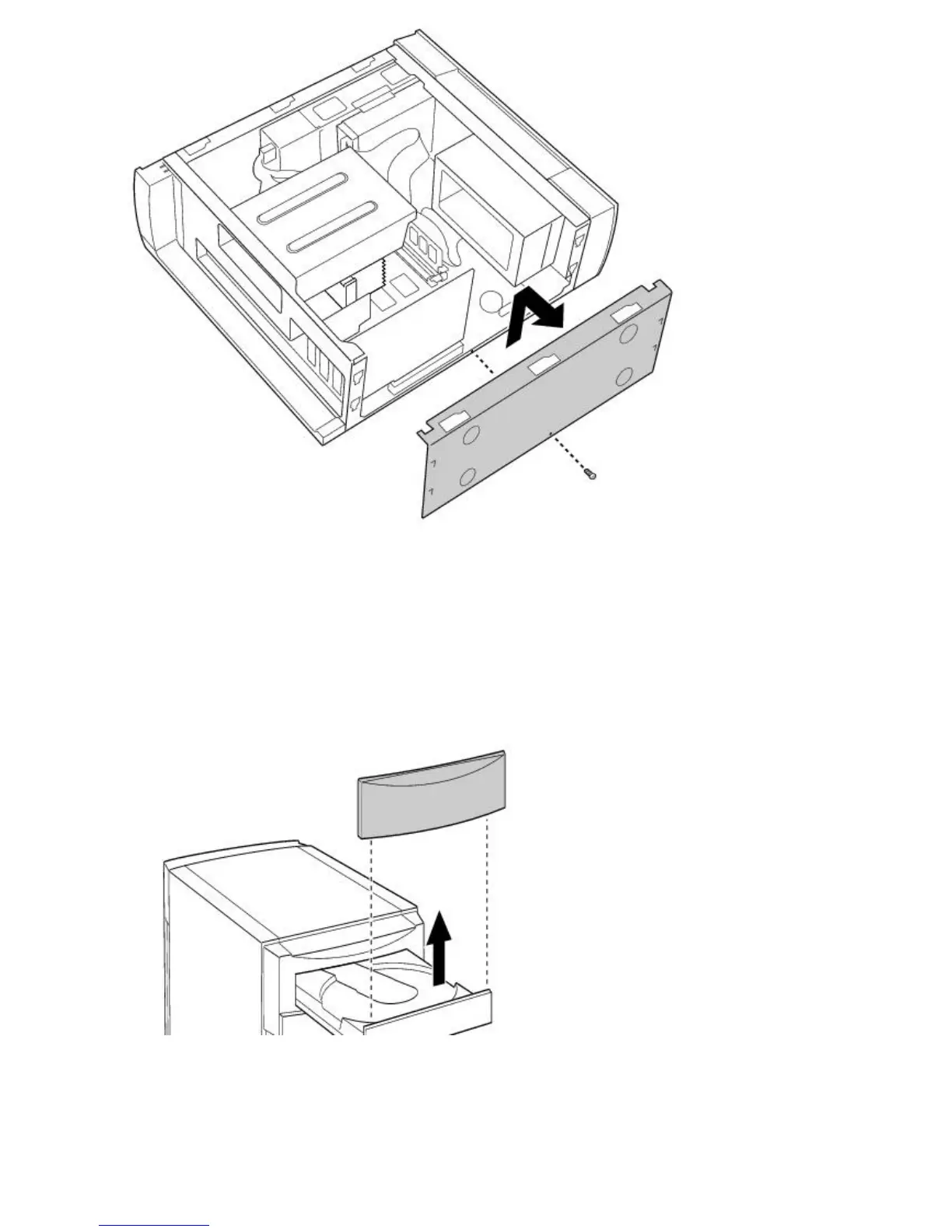
Removing the Front Panel
To remove the front panel
1.
Open the CD tray by inserting a thin, pointed object into the emergency eject opening.
2.
Slide the CD tray forward.
3.
Remove the front cover of the CD tray by lifting it upwards.
4.
Press down on each of the two tabs on the bottom of the front panel to release the panel.
5.
Pull the front panel forward to remove it.
Page 783





 To Next Page