Need help?
Do you have a question about the Sony PlayStation VR2 and is the answer not in the manual?
Important safety guideline for users under age 12.
Warning about flashing lights and potential epileptic seizures.
Recommendations for taking breaks during VR sessions.
Information on radio wave interference with medical devices.
Precautions regarding magnets and medical devices like pacemakers.
Safety advice for using the vibration function with medical conditions.
Guidance on safe volume levels to protect hearing.
Handling and safety instructions for the built-in lithium-ion battery.
Ensuring a safe physical space for VR gameplay to prevent accidents.
Safety precautions for using controllers in the play space.
Keeping the product away from young children to prevent injury.
Warning against disassembling or modifying the product due to risks.
Advice on what to do if the VR headset causes skin discomfort.
Explanation of static shocks experienced while wearing the headset.
Tips for properly wearing the VR headset for comfort and safety.
How to handle moisture condensation inside the VR headset.
Troubleshooting steps for unusual product behavior.
Action to take if a high temperature message is displayed.
Information about potential screen phenomena and burn-in.
Environmental precautions for product use and storage.
General guidelines for setting up and handling the product safely.
Connect the VR headset cable to the PS5 console's USB Type-C port.
Instructions for powering on the PS5 console and VR headset.
Steps to complete the initial setup of your PS VR2 system.
Press the PS button on each controller to power them on.
How to correctly hold controllers and wear wrist straps for safety.
Proper grip and handling of the VR controllers.
Steps to pair the VR controllers with your PS5 console.
Instructions for charging the VR controllers via USB.
How to detach the VR headset using the headband release button.
Method for reattaching detached controller straps.
Procedure to power down the VR headset using the power button.
Overview of PS VR2 capabilities and modes of use.
Definition and function of the safe gaming boundary.
Description of different VR postures and movements for gameplay.
How parents can set usage restrictions for children.
Functionality to view surroundings while wearing the headset.
Configuring VR headset settings like Play Area and button assignments.
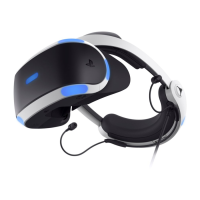
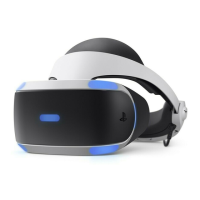
Identification of front and rear components of the VR headset.
Identification of headphone components and connections.
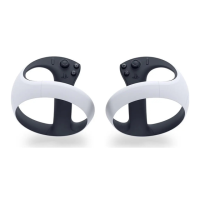
Identification of top and side components of the controllers.
Prohibition of product disassembly or modification and its consequences.
Explanation of how the VR headset and controllers track movement.
Guidelines for handling and charging the controller.
Instructions for connecting and using headphones.
Instructions for replacing headphone earpieces for a better fit.
Instructions for cleaning VR headset and controller surfaces.
Guidance on cleaning connectors and ports for optimal sound.
Specific instructions for cleaning the VR headset lenses.
Procedure for removing and cleaning the light shield.
Technical specifications for the PlayStation VR2 headset.
Instructions for cleaning dust from the headset vents.
Instructions for washing and drying headphone earpieces.
Technical specifications for the PS VR2 Sense controller.
Information on supported video input signals for PS VR2.
Information regarding device software licensing and updates.
Declaration of compliance with EU RE Directive requirements.
Declaration of compliance with UK RE Regulation requirements.
Guidance on accessing the PS5 console's User's Guide.
Information on accessing online support and troubleshooting.
 General
| Type | Dedicated head mounted display |
|---|---|
| Coloration | Monochromatic |
| Product color | Black, White |
| Number of axis | 6 |
| Recommended gender | Boy/Girl |
| Brand compatibility | Sony |
| Maximum refresh rate | 120 Hz |
| Recommended age (min) | - yr(s) |
| Adjustable interpupillary distance | Yes |
| Display type | OLED |
| Display resolution | 2000 x 2040 pixels |
| Connectivity technology | Wireless |
| Controller interface type | Bluetooth |
| Gaming platforms supported | PlayStation 5 |
| Gaming control function buttons | Options button |
| Number of game controllers included | 2 |
| Bluetooth version | 5.1 |
| USB connector type | USB Type-C |
| Card reader integrated | No |
| Cables included | USB Type-A to USB Type-C |
| Power source type | Battery |
 Weight and Dimensions
| Depth | 158 mm |
|---|---|
| Width | 212 mm |
| Height | 278 mm |
| Weight | 560 g |

 To Next Page