Getting Started
29
US
Getting Started
continued
qh VOL – button
(p. 35, 69)
Adjusts the handset or speaker
volume.
qj VOL + button
(p. 35, 69)
Adjusts the handset or speaker
volume.
qk Jog Dial (p. 21, 77)
ql EZ ACCESS button (p. 23, 35)
Lets you make a call with the
registered access number.
w; REDIAL/PAUSE button (p. 37)
Redials one of the last five numbers
called/inserts a pause in the dialing
sequence.
wa CALL WAITING/FLASH button
(p. 36, 85)
Switches to a second call if you
have “call waiting” service, or lets
you make a new call.
ws INTERCOM button (p. 55)
Lets you talk between the base
phone and cordless handset.
wd HOLD button (p. 36)
Puts a call on hold.
wf SPEAKERPHONE button
(p. 35)
Lets you make or receive a call.
wg MIC (microphone) (p. 60, 73)
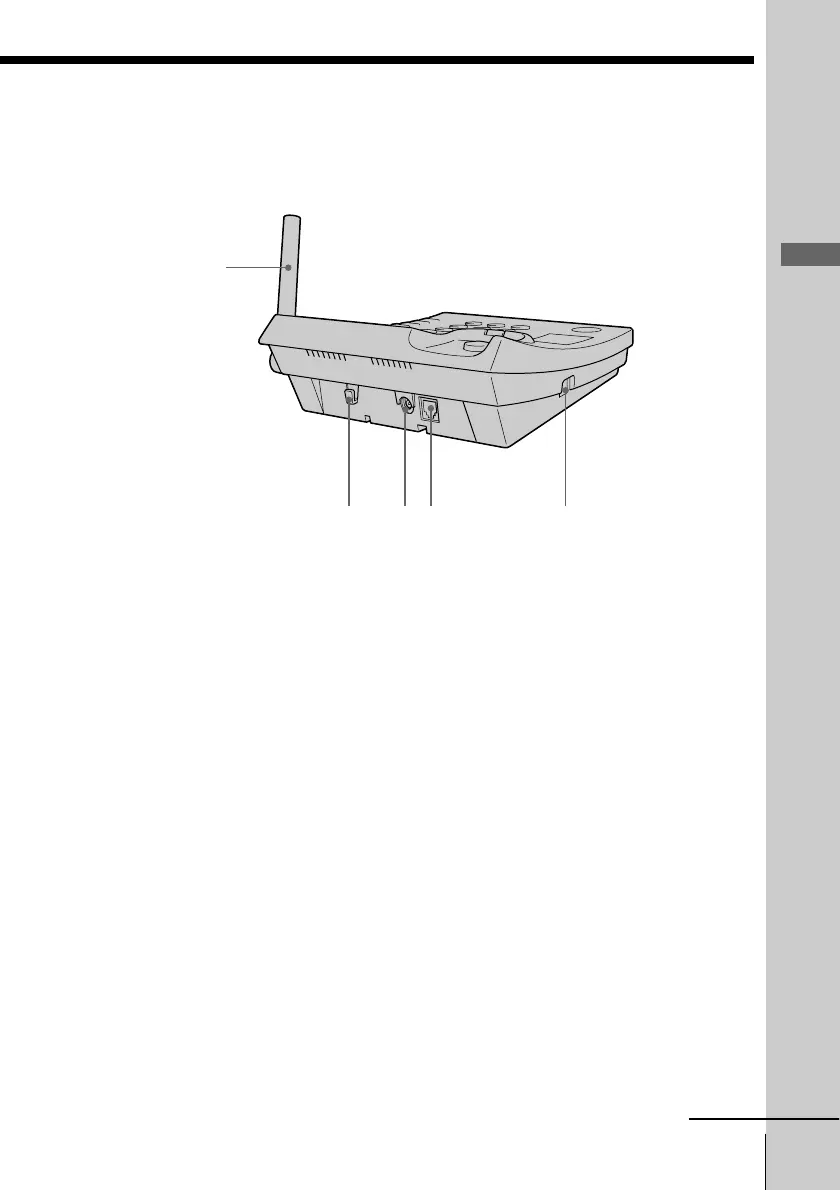
wh Antenna (p. 12, 86)
wj Hook for AC power adaptor
cord (p. 12, 86)
wk DC IN 9V jack (p. 12, 86)
wl LINE (telephone line) jack
(p. 12, 86)
e; HANDSET jack (p. 12)
wkwj wl e;
wh



 To Next Page