43
US
Telephone Features
Telephone Features
You can dial a number by scrolling through the Phone Directory.
Both the base phone and the cordless handset can each store up to 50
separate numbers.
Storing phone numbers and names
Example: to store “SONY” “123-
4567”.
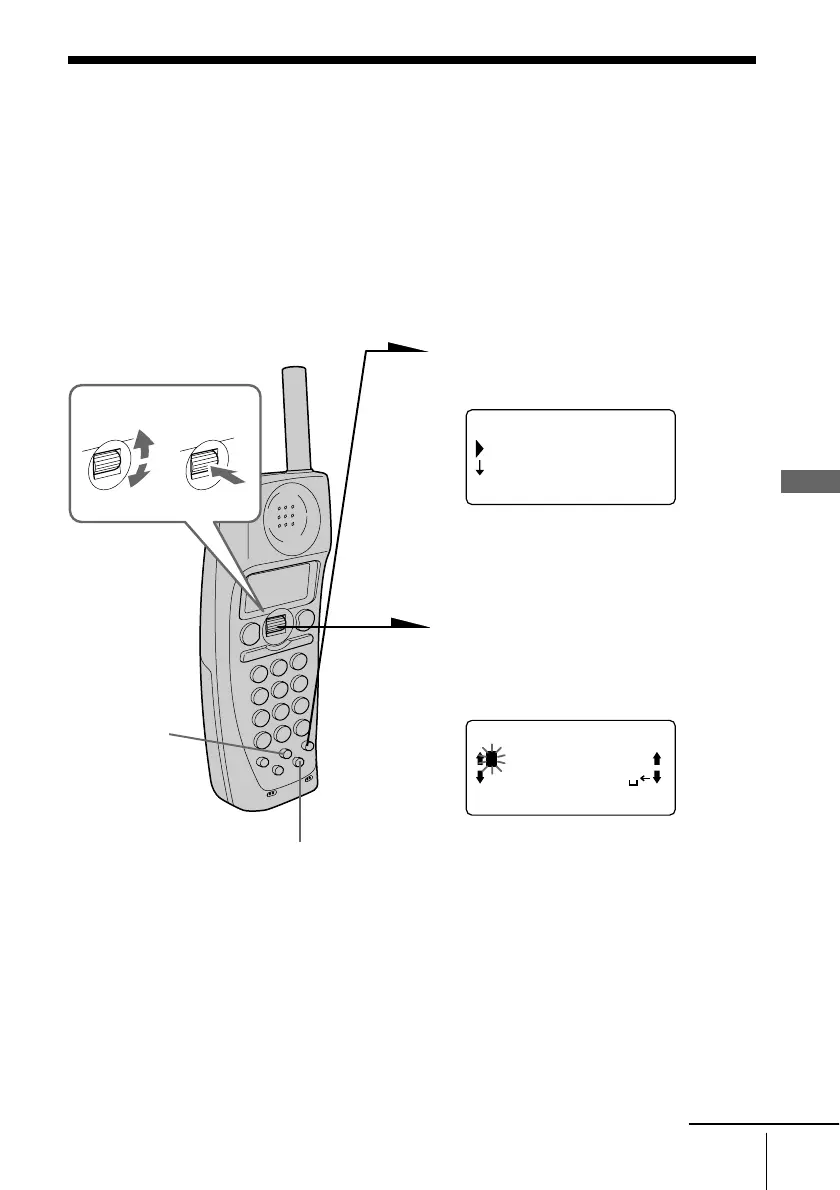
1 Press (PGM). (Press
(PROGRAM) on the base phone.)
If “PHONE DIRECTORY” is
not selected, turn Jog Dial to
select it.
2 Press Jog Dial.
“ENTER NAME” appears on
the display.
3 Enter the name by turning Jog
Dial.
You can enter up to 15
characters.
Turn Jog Dial until the desired
character is selected, and then
press Jog Dial.
Phone Directory
continued
(GO BACK)
PHONE DIRECTORY
MEMORY MANAGE
RING OFFMASSAGEOLDNEW
RING OFFMASSAGEOLDNEW
ENTER NAME
ABCDEFGHIJKLMN
OPQRSTUVWXYZ
Telephone Features
(ERASE)
Turn Press
(REDIAL/PAUSE)



 To Next Page