Basics 37
US
Basics
Redialing
Both the base phone and the cordless handset can each individually
store five dialed phone numbers.
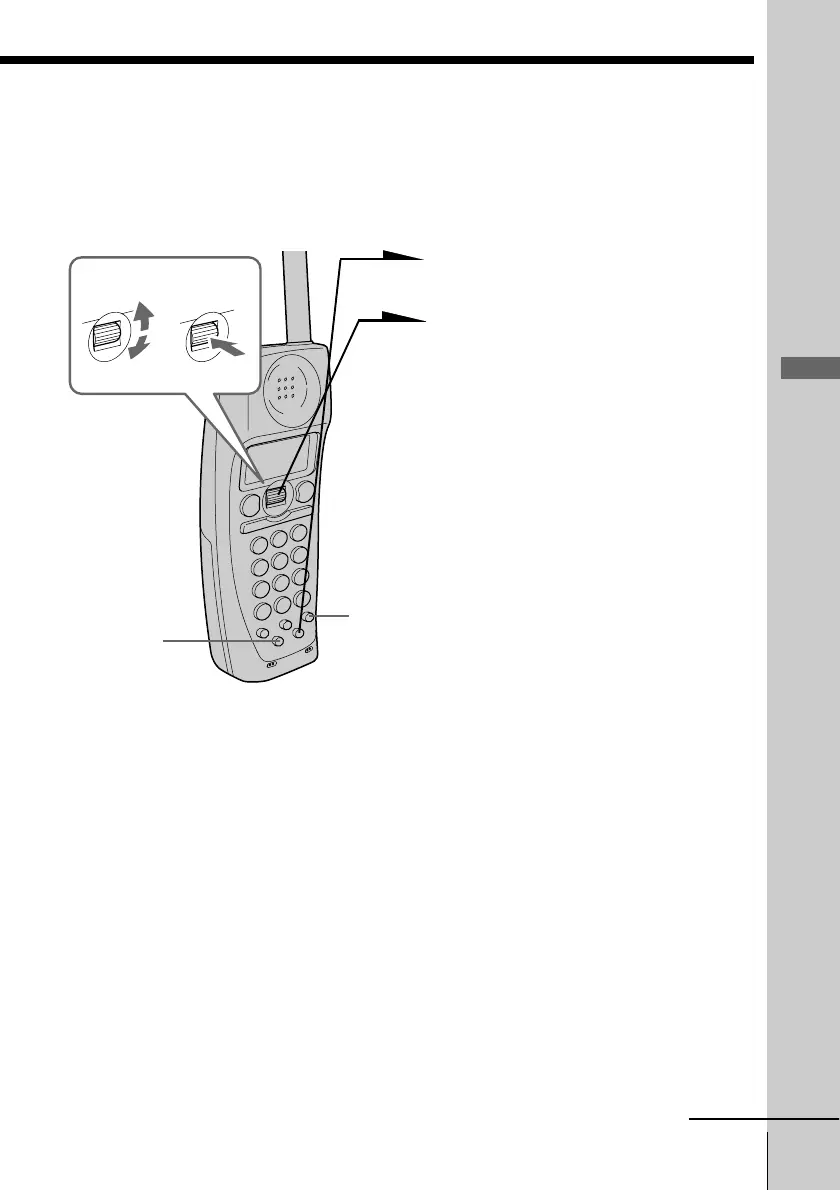
1 Press (REDIAL/PAUSE).
2 Display the name or phone
number you want to call by
turning Jog Dial.
3 Press Jog Dial.
4 Turn Jog Dial to choose “DIAL”,
and then press Jog Dial.
The phone number will be
redialed.
Notes
• The redial memory only registers up to 32 digits. Exceeding numbers will not
be redialed.
• If an access number of the long distance call is registered in (EZ ACCESS), the
number cannot be stored for the redial button use. To redial long distance
calls with (EZ ACCESS), press (EZ ACCESS) instead of above steps 3 and 4.
Tips
• Although the phone number displayed on the redial list is up to 15 digit, the
redialing will be successful.
• If you redial the same number repeatedly, this number will only be counted
as one number of the total five registered numbers that can be redialed.
• When dialing from a phone number with a registered name, that name will
be displayed in the list in step 2.
continued
(PGM)
(EZ ACCESS)
Turn Press



 To Next Page