Answering Machine Features
64
US
Selecting the answering mode
You can set the answering machine to record incoming messages
(normal mode), or just make an announcement without recording
messages (announcement only mode). You can record your own
greeting, or use the factory pre-recorded greetings.
You can set the answering mode only with the cordless handset. Make
sure the base phone* is not in use before you start the setting.
* If the system includes additional cordless handsets, it is necessary to stop
using them before you start the setting as well.
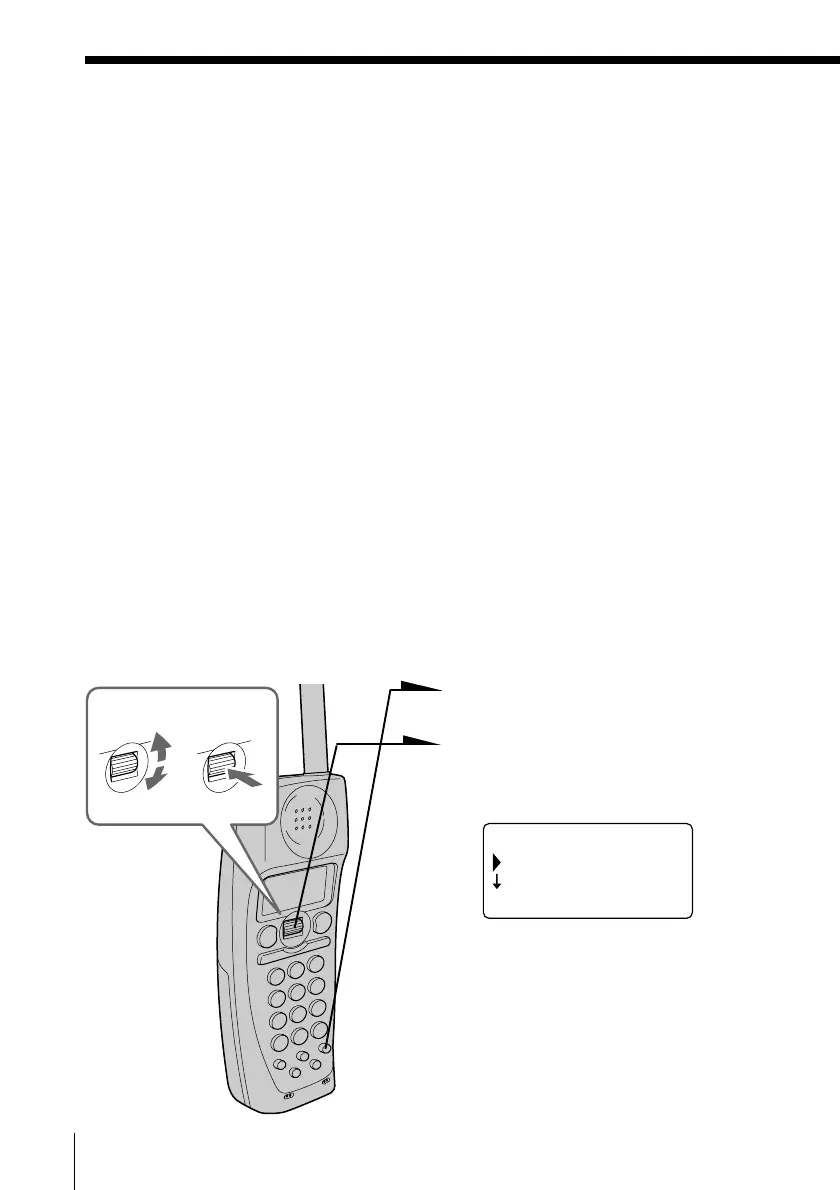
1 Press (PGM).
2 Turn Jog Dial to choose
“ANSWERING”, and then press
Jog Dial.
3 Turn Jog Dial to choose
“ANSWERING MODE”, and
then press Jog Dial.
(GO BACK)
ANSWERING MODE
AUDIBLE INDIC.
RING OFFMASSAGEOLDNEW
Notes
• Do not allow more than 60 seconds to elapse during the operation procedure.
• The approx. length of the three recording grades are:
“HI (SHORT PLAY)”– 8 minutes
“MID”– 15 minutes
“NORM (LONG PLAY)”– 20 minutes
Actual recording time may vary.
• When “ERROR” appears on the display and five short error beeps are heard
after Jog Dial is pressed in step 4, move the cordless handset closer to the
base phone, make sure the base phone is not in use, and then start over the
procedure.
Tip
When you select “(GO BACK)”, you can return to the previous set display by
pressing Jog Dial.
Preparing the answering machine (continued)
Turn Press



 To Next Page