EasyManua.ls Logo

Sony PS-Q7 - CONNECTIONS; Connecting to Amplifier; Connecting to Radio Cassette Recorder; Connecting to Headphones

Sony PS-Q7
10 pages
Print Icon
To Next Page IconTo Next Page
To Previous Page IconTo Previous Page
Loading...
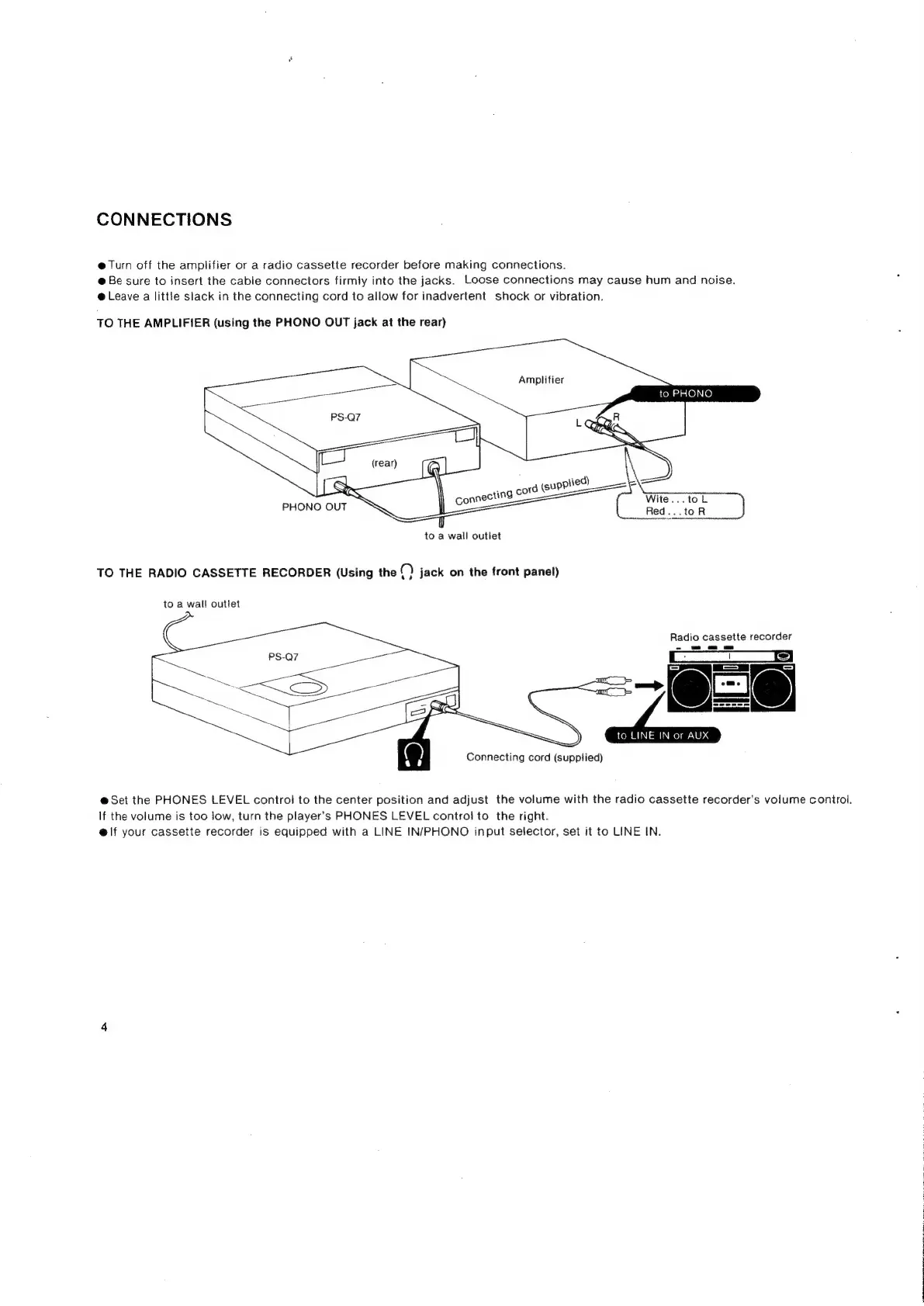
CONNECTIONS
@
Turn
off
the
amplifier
or
a
radio
cassette
recorder
before
making
connections.
@
Be
sure
to
insert
the
cable
connectors
firmly
into
the
jacks.
Loose
connections
may
cause
hum
and
noise.
@
Leave
a
little
slack
in
the
connecting
cord
to
allow
for
inadvertent
shock
or
vibration.
TO
THE
AMPLIFIER
(using
the
PHONO
OUT
jack
at
the
rear)
to
PHONO
PHONO
OUT
to
a
wall
outlet
TO
THE
RADIO
CASSETTE
RECORDER
(Using
the
(
}
jack
on
the
front
panel)
to
a
wall
outlet
Radio
cassette
recorder
@Set
the
PHONES
LEVEL
control
to
the
center
position
and
adjust
the
volume
with
the
radio
cassette
recorder’s
volume
controi.
If
the
volume
is
too
low,
turn
the
player’s
PHONES
LEVEL
controj
to
the
right.
e@lf
your
cassette
recorder
is
equipped
with
a
LINE
IN/PHONO
input
selector,
set
it
to
LINE
IN.
|

Related product manuals