000
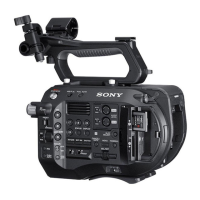
1. Overview: Location and Function of Parts
6
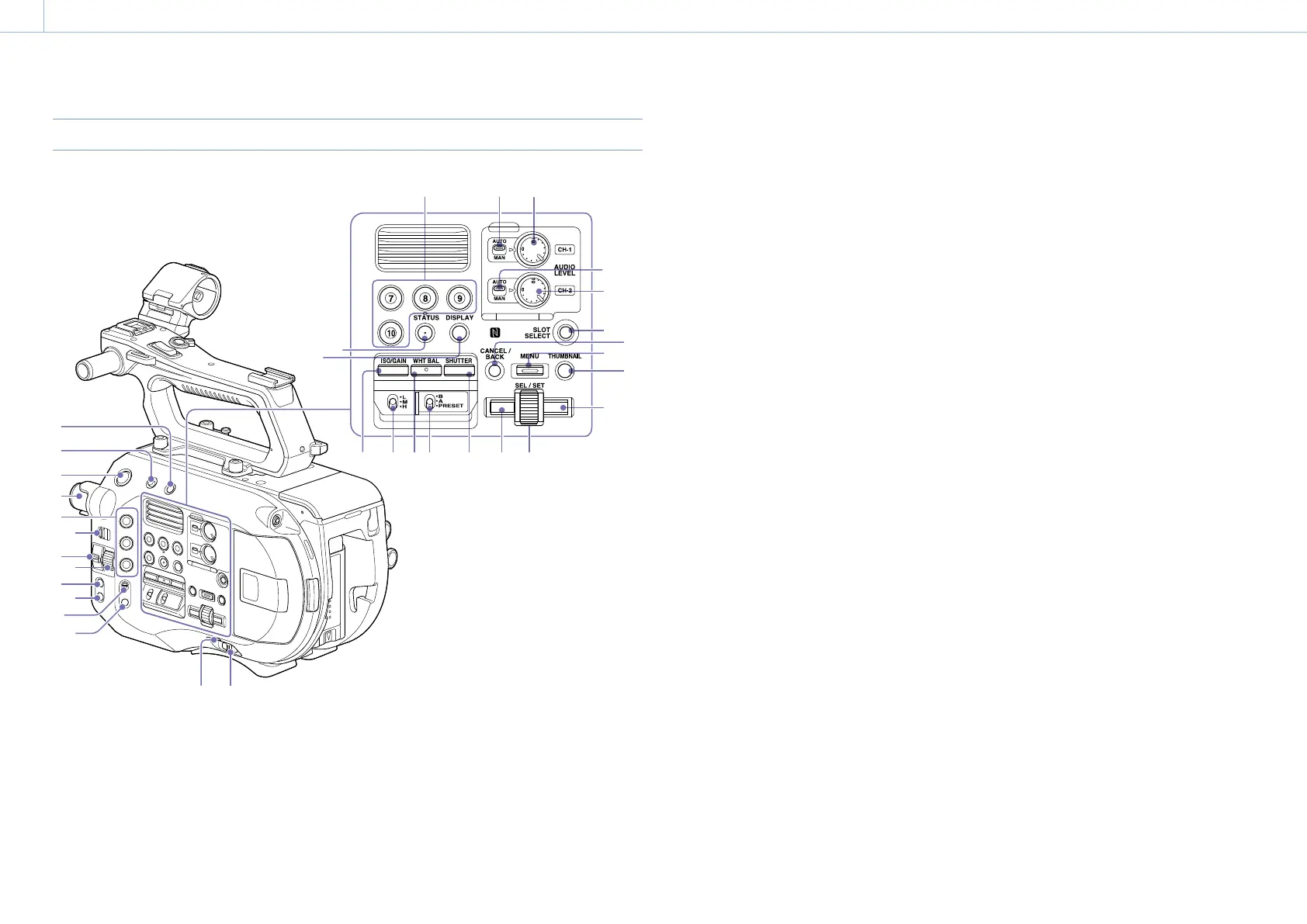
Right Side
16 17
33
32
31 30 29 27 26 25
24
23
21
19
22
20
18
15
28
1
2
3
4
5
6
7
9
10
11
12
13 14
8
1. FULL AUTO button (page 30)
2. HOLD switch (page 72)
3. Record START/STOP button
4. ND FILTER dial (page 33)
5. ASSIGN (assignable) 1 to 3 buttons
(page 36)
6. PRESET/VARIABLE switch (page 33)
7. ND/IRIS switch
8. ND/IRIS dial
The ND dial operates when the ND/IRIS switch
is set to the ND position. The IRIS dial operates
when the ND/IRIS switch is set to the IRIS position.
You can assign another function to the IRIS dial
(page 36).
9. IRIS button (page 33)
10. PUSH AUTO IRIS button (page 33)
11. FOCUS switch (page 31)
12. PUSH AUTO FOCUS button (page 31)
13. POWER indicator (page 30)
14. POWER switch (page 13)
15. ASSIGN (assignable) 7 to 10 buttons
(page 36)
16. CH1 LEVEL CONTROL switch (page 35)
17. CH1 INPUT LEVEL dial (page 35)
18. CH2 LEVEL CONTROL switch (page 35)
19. CH2 INPUT LEVEL dial (page 35)
20. SLOT SELECT (XQD memory card select)
button (page 23)
21. CANCEL/BACK button (page 45)
22. MENU button (page 47)
23. THUMBNAIL button (page 44)
24. Right button
Used to set numeric values and to move the cursor
to the right on thumbnail screens and menus.
25. SEL/SET (select/set) dial
Turn the dial to move the cursor up/down to
select menu items or settings. Press to apply the
selected item.
26. Left button
Used to set numeric values and to move the cursor
to the left on thumbnail screens and menus.
27. SHUTTER button (page 33)
28. WHT BAL (white balance memory select)
switch (page 34)
29. WHT BAL (white balance) button (page 34)
30. ISO/GAIN switch (page 33)
31. ISO/GAIN button (page 33)
32. DISPLAY button (page 9)
33. STATUS CHECK button (page 11)


 To Next Page