000
5. Menu Display and Settings: Setup Menu List
74
System >GPS
Sets GPS settings.
Item Sub-item setting Description
GPS On / Off Turns the GPS function on/off.
[Note]
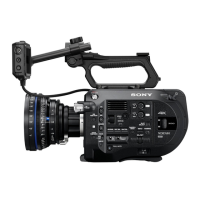
The GPS module is built into the handle.
System >IR Remote
Sets infrared remote control settings.
Item Sub-item setting Description
Setting On / Off Enables/disables control from the supplied
infrared remote control.
System >Camera Battery Alarm
Sets battery low-voltage alarm settings.
Item Sub-item setting Description
Low BATT 5% / 10% / 15% / … / 45% / 50% Sets the remaining battery level to display a
battery low-voltage alarm (5% increments).
BATT Empty 3% to 7% Sets the remaining battery level to display a
battery empty alarm.
System >Camera DC IN Alarm
Sets input voltage alarm settings.
Item Sub-item setting Description
DC Low
Voltage1
11.5V to 17V Sets the voltage to display a DC IN low input
voltage alarm.
DC Low
Voltage2
11.0V to 14.0V Sets the voltage to display a DC IN
insufficient input voltage alarm.
System >Ext. Unit Battery Alarm
Sets XDCA-FS7 battery settings.
Item Sub-item setting Description
Near End:Info
Battery
5% to 100% Sets the remaining battery level to display a
Info-Lithium battery low-voltage alarm (5%
increments).
End:Info
Battery
0% to 5% Sets the remaining battery level to display a
Info-Lithium battery end alarm and to stop
media access.
Near End:Sony
Battery
11.5V to 17V Sets the remaining battery level to display a
battery low-voltage alarm for a non Info-
Lithium battery.
System >Ext. Unit Battery Alarm
Sets XDCA-FS7 battery settings.
Item Sub-item setting Description
End:Sony
Battery
11.0V to 11.5V Sets the remaining battery level to display a
battery end alarm for a non Info-Lithium
battery and to stop media access.
Near
End:Other
Battery
11.5V to 17V (11.8V) Sets the remaining battery level to display a
battery low-voltage alarm for an Anton/
Bauer battery.
End:Other
Battery
11.0V to 14.0V Sets the remaining battery level to display a
battery end alarm for an Anton/Bauer battery
and to stop media access.
Detected
Battery
Displays the type of battery connected to
the XDCA-FS7.
If a battery is connected to the XDCA-FS7,
“Info Battery,” “Sony Battery,” or “Other
Battery” is displayed. If a DC source is
connected, “DC IN” is displayed.
If powered by a battery or DC source
connected to the camcorder, “---” is
displayed.
System >Ext. Unit DC IN Alarm
Sets XDCA-FS7 input voltage alarm settings.
Item Sub-item setting Description
DC Low
Voltage1
11.5V to 17V Sets the voltage to display a DC IN low input
voltage alarm.
DC Low
Voltage2
11.0V to 14.0V Sets the voltage to display a DC IN
insufficient input voltage alarm.
System >All Reset
Resets settings to factory defaults.
Item Sub-item setting Description
Reset Execute / Cancel Resets all settings to their factory defaults.
Execute: Reset


 To Next Page