______________________________________________________________________________
RCC1000
user manual | 3
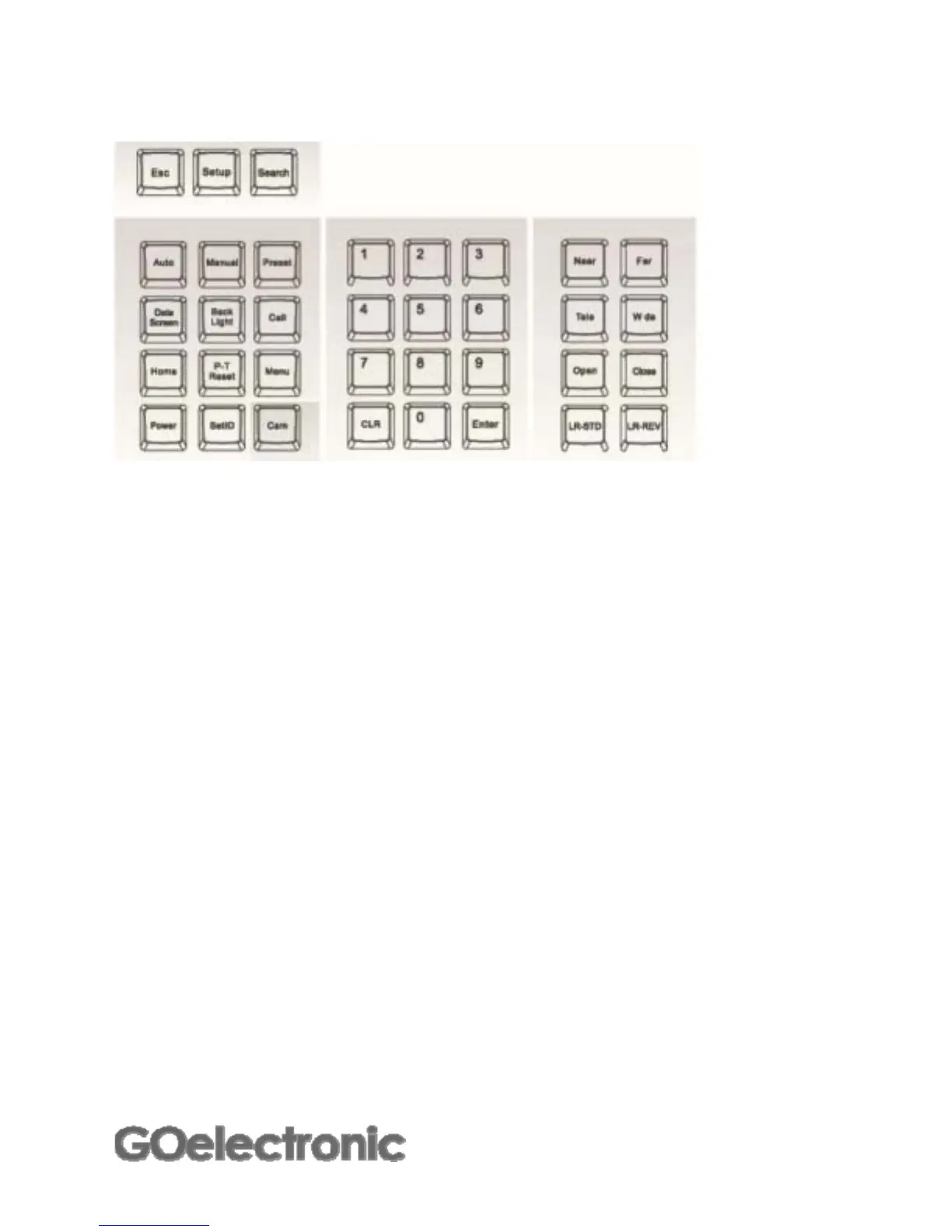
Keyboard
Camera function keys
[Auto] Enable auto focus
[Manual] Enable manual focus
[Preset] Camera preset setup (See 'Setting Up and Recalling Camera
Preset Positions' for more details.)
[Data Screen] Displays on-screen camera menu. At this time, the on-screen
menu cannot be controlled with the RCC1000. These functions
can be accessed/controlled using the [Menu] key on the
controller. See 'Camera Functions' for more details.
[Back Light] Turn on/off back light compensation
[Call] Recall camera preset (See 'Setting Up and Recalling Camera
Preset Positions' for more details.)
[Home] Move camera to home position
[P-T Reset] Reset the camera
[Menu] Display camera functions menu (See 'Camera Functions' for
more details.)
[Power] Press and hold to power on/off camera
[SetID] Camera ID setup (See 'Assigning Camera IDs' for more details.)
[Cam] Select the camera's ID. Used when controlling more than one
camera. (See 'Selecting a Camera ID' for more details.)



 To Next Page