11
US
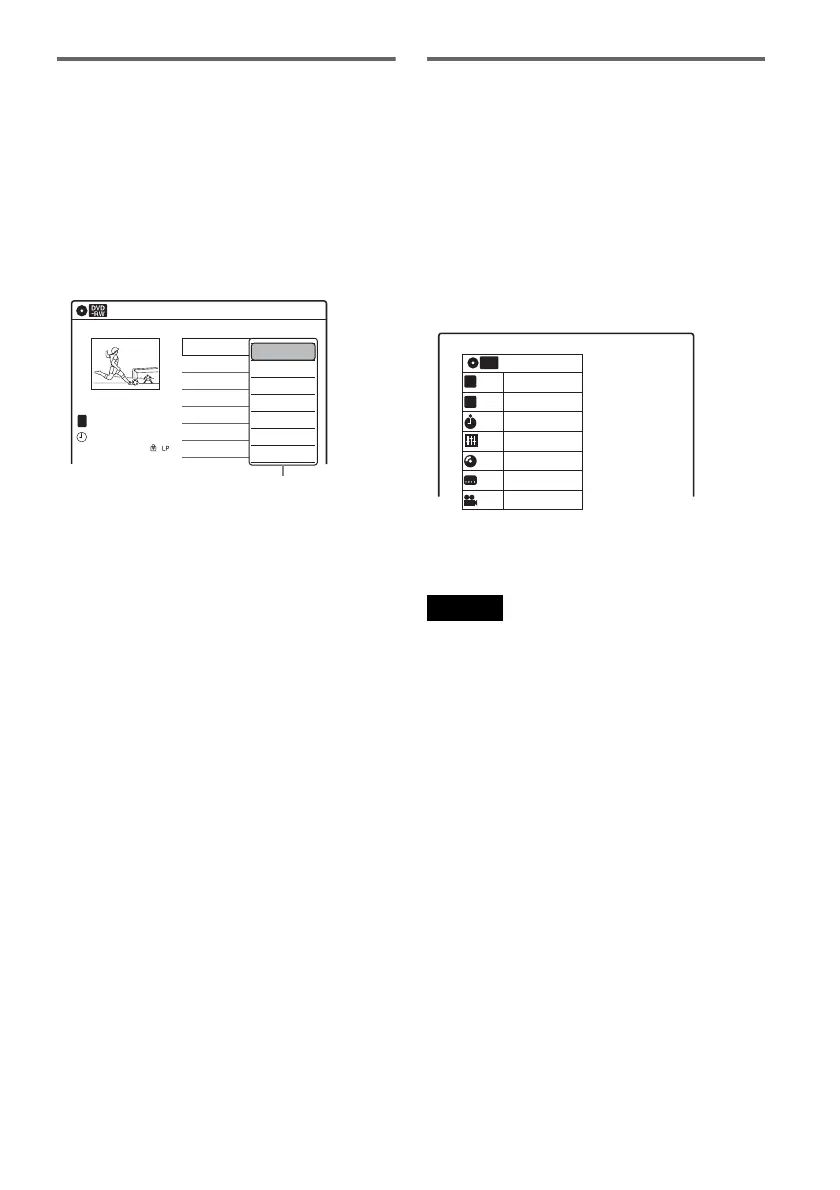
Sub-menu
The sub-menu appears when you select an item
from a list menu (e.g., a title from the Title List
menu), and press ENTER. The sub-menu displays
options applicable only to the selected item. The
displayed options differ depending on the
situation and disc type.
Select an option by pressing M/m and ENTER.
Example: The Title List menu
OPTIONS
The OPTIONS menu appears when you press
OPTIONS. You can search for a title/chapter/
track, check the playing and remaining time, or
change settings for audio/angle/subtitle. The
displayed options differ depending on the media
type.
Press M/m to select an option, press </, to
select the desired item, and press ENTER.
Example: When you press OPTIONS while a
DVD VIDEO is playing.
To return to the previous display
Press O RETURN.
Notes
• The OPTIONS menu settings cannot be changed
during DVD recording.
• The System Menu does not appear when recording on
a DVD, or dubbing from VHS tape to a DVD.
• You cannot use the DVD or VIDEO buttons with the
System Menu turned on.
Title List (Original)
10:10 AM
No. Title Length Edit
01 LINE 1 >01:29:03
02 LINE 1 >00:31:23
03 LINE 1 >01:59:00
04 LINE 1 >00:58:56
LINE 1
May/02/2008
08:00 PM
T
1/4
Play
Title Erase
Chapter Erase
Protect
Title Name
A·B Erase
Divide Title
Options for the selected item
1/4
1/1
00:00:25
T
C
Title
Chapter
Time
Remain
Audio
Angle
00:01:30
Subtitle
2/2 ENG
1/1
ENG Dolby D2ch (1/1)
DVD
VIDEO












 To Next Page