97
US
Settings and Adjustments
Some items display a dialog box that requires
additional settings.
Example: When “Parental” in “Options”
setup is selected.
5 Select an option, and press ENTER.
The currently selected option is displayed
next to the setup item.
Example: When “16:9” is set.
To return to the previous display
Press O RETURN.
To turn off the display
Press SYSTEM MENU.
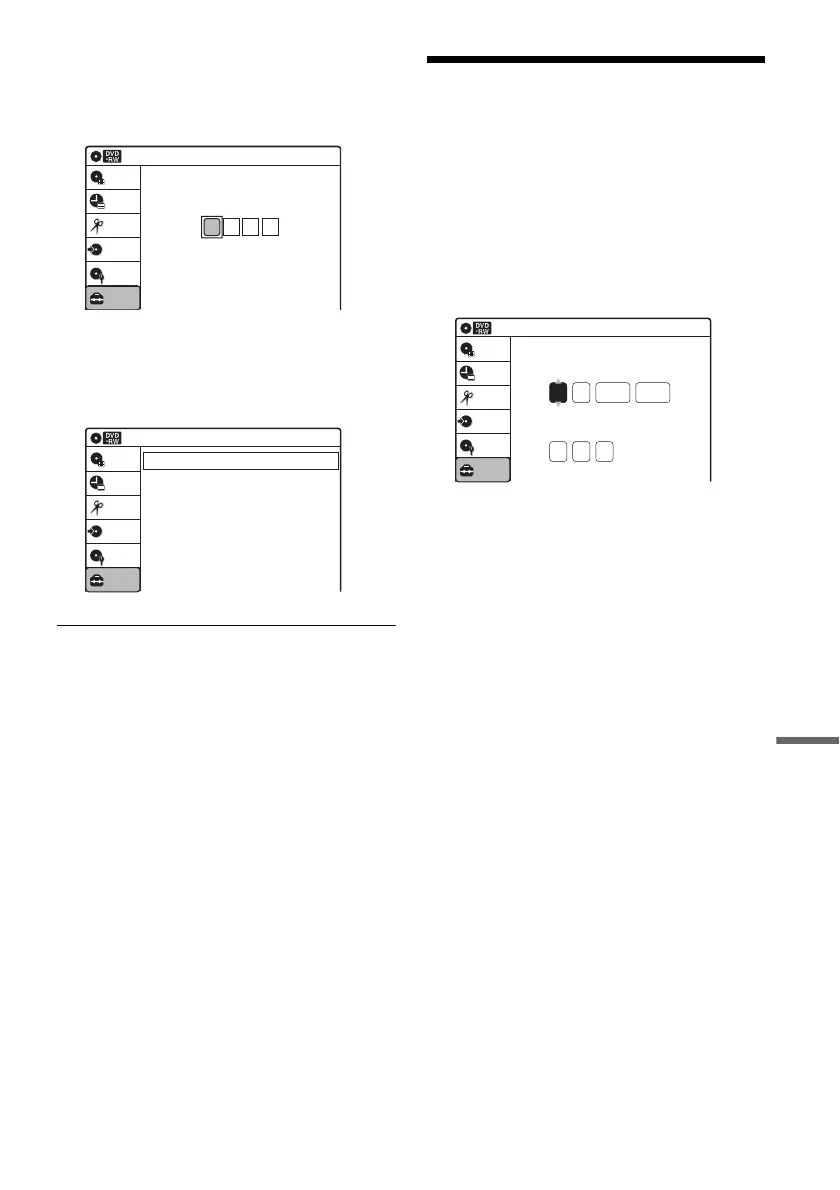
Clock Setting (Clock Set)
The “Clock Set” setup allows you to make clock
settings for the recorder.
1 Press SYSTEM MENU while the recorder is
in stop mode.
2 Select “Setup,” and press ENTER.
3 Select “Clock Set,” and press ENTER.
The clock setting display appears.
4 Press M/m to set the month, and press ,.
Set the day, year, hour, minutes, and AM/PM
in sequence. Press </, to select the item to
be set, then press M/m to set the item. The day
of the week is set automatically.
5 Press ENTER to start the clock.
10:10 AM
Create the password.
Create the password
Setup
Disc Setting
Edit
Title List
Timer
Dubbing
Video
10:10 AM
Setup
Disc Setting
Edit
Title List
Timer
Dubbing
TV Type
Resolution (HDMI)
Video (HDMI)
Black Level
Picture Control
Progressive
Line1 Input
: 16:9
: Auto
: Y Cb Cr
: On
: Standard
: Off
: Composite
2008
Tue
01 01
10 : 10
AM
10:10 AM
Clock Set
Set the time and date manually.
Hour Min
AM/PM
Month Day Year
Setup
Disc Setting
Edit
Title List
Timer
Dubbing












 To Next Page