64
US
Renaming and erasing a Playlist
title
1 Press TITLE LIST.
2 Press ORIGINAL/PLAYLIST to switch to the
“Playlist” Title List.
3 Select a Playlist title, and press ENTER.
The sub-menu appears.
4 Select an option, and press ENTER.
Select from the following options.
“Title Erase”: Erases the title. Select “OK”
when asked for confirmation.
“Title Name”: Allows you to rename the title
(page 61).
z Hint
You can also edit Playlist titles from the System Menu.
Press SYSTEM MENU to select “Edit,” and select “Edit
Playlist.”
Note
You cannot create or edit Playlist titles on a finalized
disc. When you want to edit or record on the DVD-RW
again, unfinalize the disc (page 66).
Formatting/Renaming/
Protecting a Disc
The “Disc Setting” display allows you to check the
disc information or change the disc name.
Depending on the disc type, you can also format or
set protection.
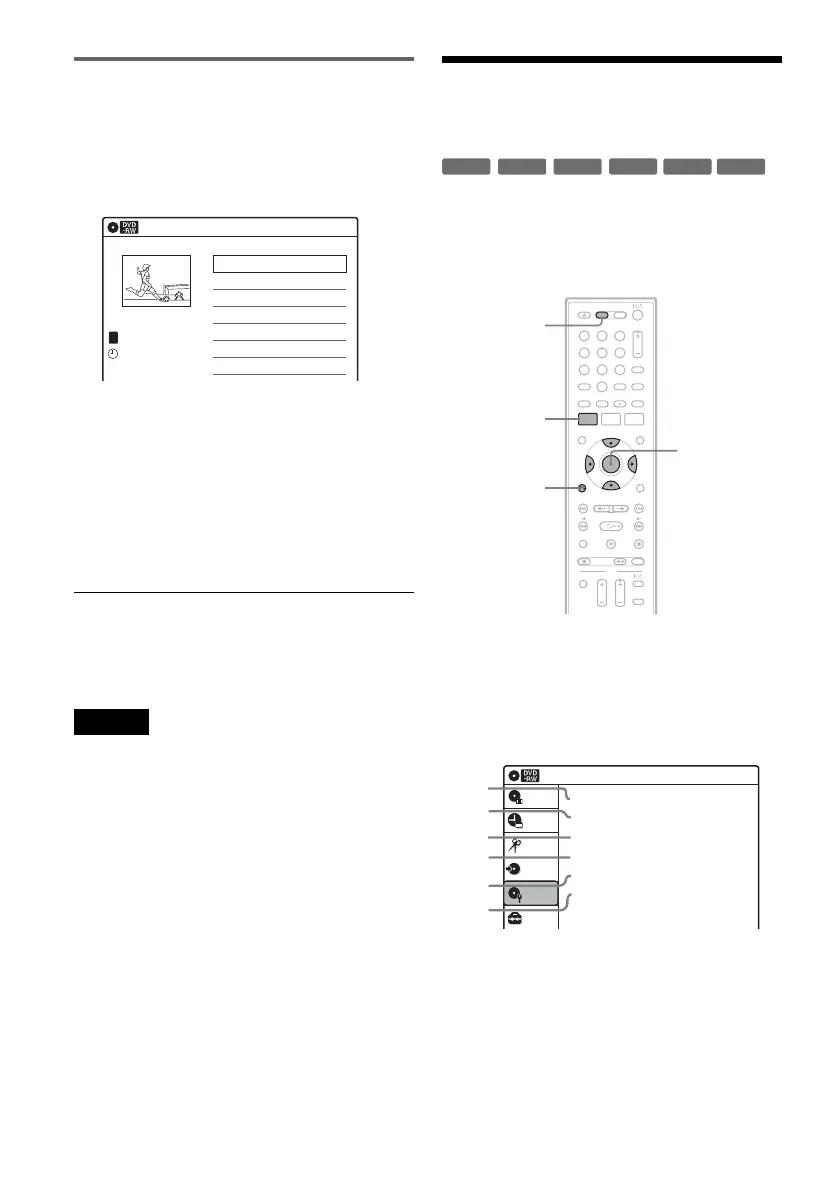
1 Press DVD to operate the DVD recorder.
2 Press SYSTEM MENU while the recorder is
in stop mode.
3 Select “Disc Setting,” and press ENTER.
The “Disc Setting” display appears.
4 Select an option, and press ENTER.
A “Disc Name”: Allows you to rename a
disc.
For details on how to enter characters,
see page 61.
Playlist
10:10 AM
01 LINE 1 >00:05:04
02 LINE 1 >00:00:51
03:25 PM
May/02/2008
T
No. Title Length Edit1/2
LINE
1
+
RW
-
RWVR
-
RW
Video
+
R
-
RVR
-
R
Video
11 22 33
44 55 66
77 88
00
99
SYSTEM
MENU
DVD
M/m/</,,
ENTER
O RETURN
Disc Setting
10:10 AM
Disc Name :
Disc Protect : Not Protected
Disc Format : VR Mode
Disc Finalize : Unfinalized
Disc Information
Erase All Titles
Setup
Disc Setting
Edit
Title List
Timer
Dubbing
2
3
4
5
1
6












 To Next Page