54
US
• You cannot change the timer settings for a recording
currently underway.
• The Timer List displays both the DVD recorder and
VCR timer settings.
Recording From Connected
Equipment With a Timer
(Synchro Rec)
You can set the recorder to automatically record
programs from connected equipment that has a
timer function (such as a satellite tuner). Connect
the equipment to the LINE 1 IN (VIDEO/AUDIO)
jacks on the rear of the recorder (page 13).
When the connected equipment turns on, the
recorder starts recording a program from the LINE
1 IN jacks.
Note
To play a disc recorded with this recorder on other
equipment, finalize the disc (page 66).
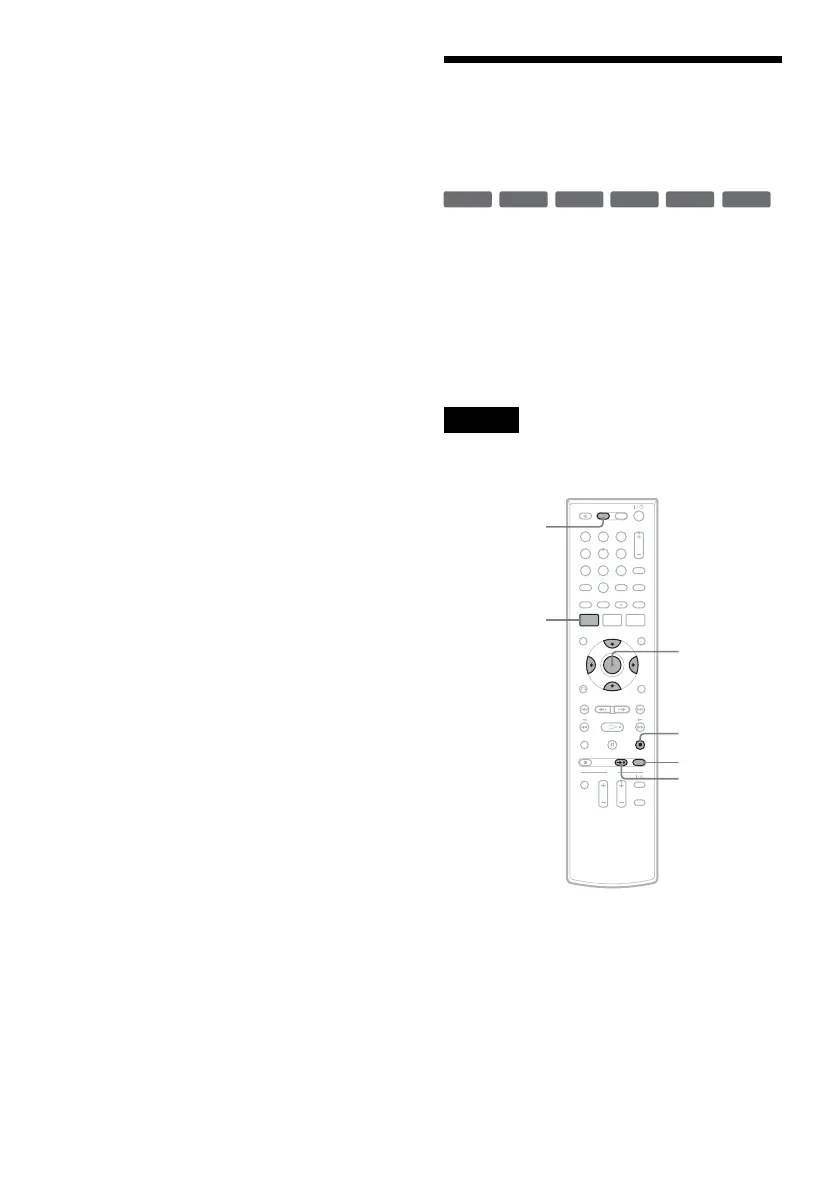
1 Press DVD to operate the DVD recorder.
2 Insert a recordable disc.
3 Select the line input audio.
Set “Line Audio Input” of “Audio” setup to
“Stereo” or “Main/Sub” in the “Setup”
display (page 102).
+
RW
+
R
-
RWVR
-
RW
Video
-
RVR
-
R
Video
11 22 33
44 55 66
77 88
00
99
M/m/</,,
ENTER
SYNCHRO
REC
x STOP
REC MODE
SYSTEM
MENU
DVD












 To Next Page