Evernote
206
Table of Contents
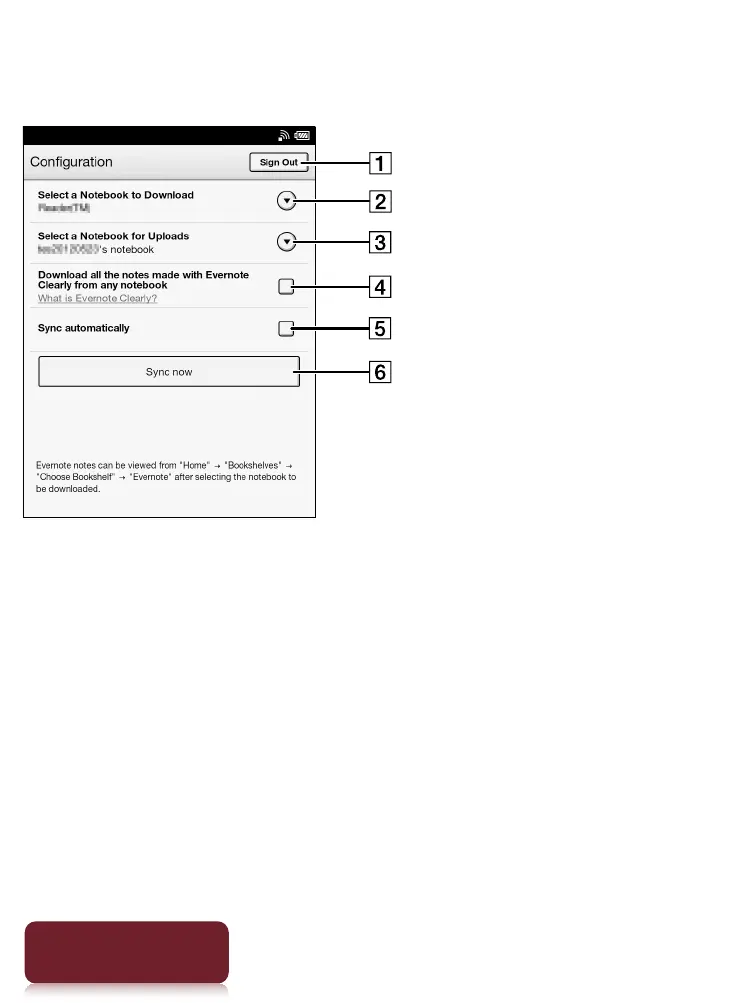
Evernote Settings
Sign out from Evernote.
Select the notebook to be downloaded from
Evernote to the Reader.
Select the notebook to be uploaded from the
Reader to Evernote.
Check this box to download notes created with
Evernote Clearly to the Reader.
Check this box to synchronize notebooks on the
Reader with Evernote automatically.
Synchronize notebooks and update.













 To Next Page