Reading Books
94
Table of Contents
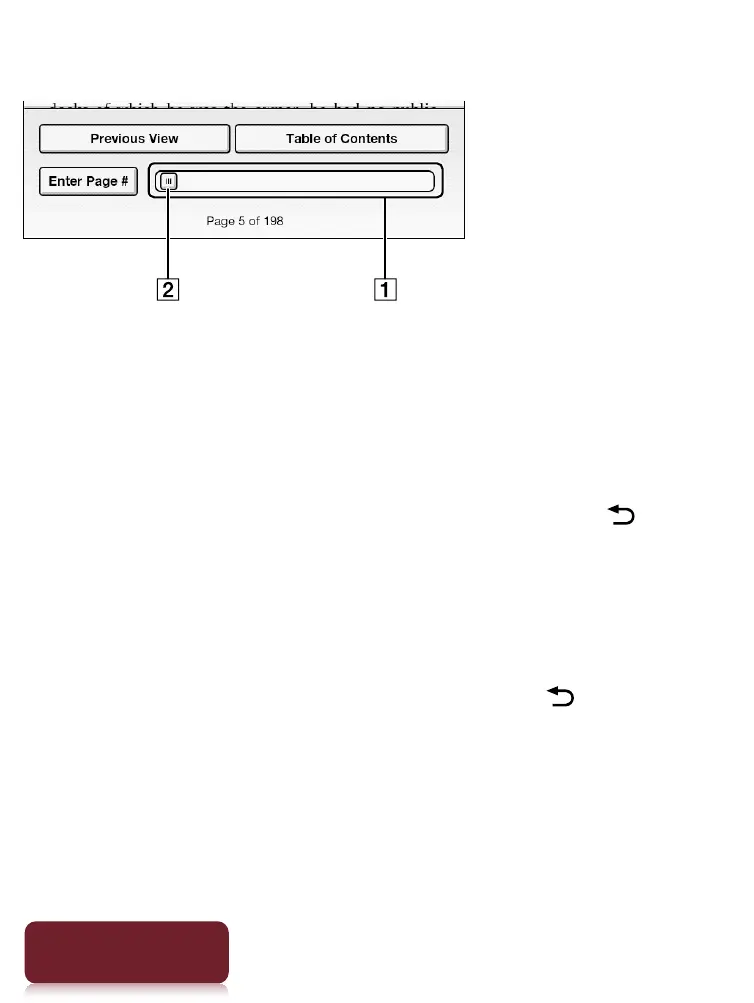
Using the paging bar
Paging bar
Slider
Tap on a point on the paging bar to jump to a page
that corresponds with that point.
Tap and drag the slider.
To close the page navigation panel, press the (Back)
button.
Using [Table of Contents]
1 Tap [Table of Contents].
To return to the book page, press the (Back)
button.
2 Tap to open the selected chapter or section.













 To Next Page