6
-a R-BLACK knob
-b B-BLACK knob
-c MASTER BLACK knob
Adjusts the R black, B black, and master
b
lack of the target camera.
For details, see “Adjusting the black balance”
(page 40).
-a R-WHITE knob
-b B-WHITE knob
Sets the R gain and B gain of the target
c
amera, and adjusts the white balance.
For details, see “Adjusting the white balance”
(page 39).
For an ILME-FR7 target camera, you can also
ad
just the white balance by settings the
color temperature and tint.
For details, see “Adjusting the white balance”
(page 43).
BARS button
Toggles the color bars output of the target
ca
mera on/off.
When the button is turned on (button is lit
y
ellow), color bars output is turned on.
When the button is turned off (button is not
li
t), color bars are not output.
CAM POWER button
Toggles the power supply of the target
c
amera on/off (standby).
When the button is turned on (button is lit
gre
en), the target camera is turned on.
When the button is turned off (button is not
li
t), the target camera is turned off (standby).
Notes
• When controlling more than one camera,
the camera on/off operation is determined
by the CONFIG >RM SETUP >CAM POWER
setting in the RM menu. For details, see
“CAM POWER” (page 74).
• SRG-300SE, SRG-301SE, and SRG-201SE do
n
ot turn off (standby).
O.P.AWB (one-push auto white balance)
button
Executes one-push auto white balance
ad
justment on the target camera.
For details, see “To adjust the white balance
automatically” (page 40).
O.P.ABB (one-push auto black balance)
button
(excluding ILME-FR7)
Executes one-push auto black balance
ad
justment on the target camera.
For details, see “To adjust the black balance
automatically” (page 40).
REC START/STOP button (ILME-FR7)
Starts/stops recording video to the memory
ca
rd inserted in the camera.
ACTIVE button
Enables/disables the color adjustment
bl
ock.
When the button is turned on (button is lit),
the
color adjustment block becomes
enabled.
When the button is turned off (button is not
lit),
the color adjustment block becomes
disabled.
ASSIGN 1 button, ASSIGN 2 button, ASSIGN
3 bu
tton
Executes functions assigned to each button.
When a button is pressed, the name of the
fun
ction assigned to the button is displayed
highlighted on the bottom of the LCD panel
for a few seconds.
For details about assigned functions and
how to
assign the functions, see “Assigning
Functions to Assign Buttons” (page 51).
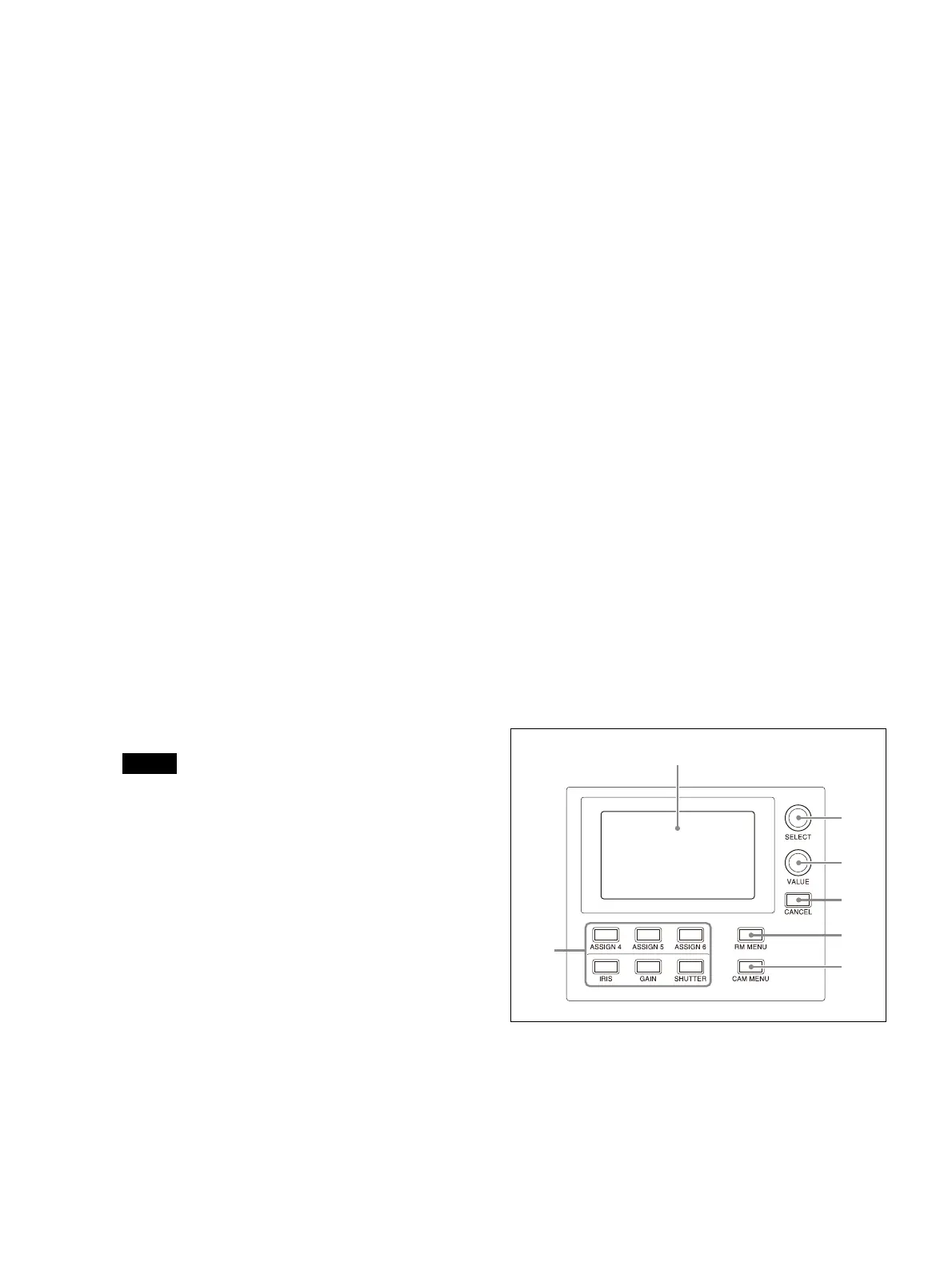
Menu control block
Comprises buttons and knobs you use to set and
execute functions, and to change settings on the
target camera using menu operations.
For details about menu operations, see “Menu
Operations” (page 12).
FUNCTION menu buttons
When a button is pressed, the item and
se
tting of the function assigned to the
button is displayed on the LCD panel, and
the setting can be changed using the VALUE
knob.












 To Next Page