9
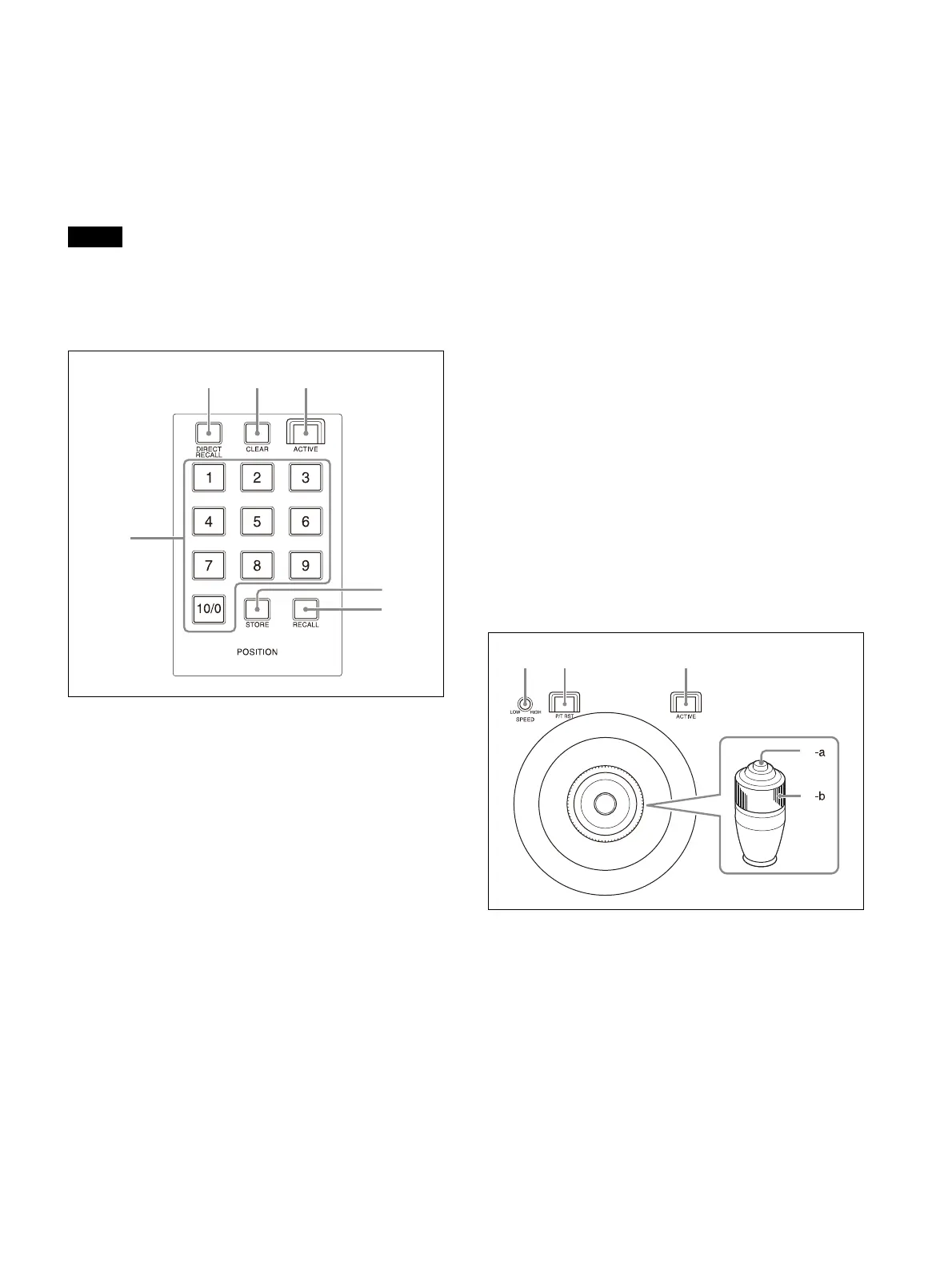
Preset memory control block
Use to execute the Preset function for storing
and recalling camera status (such as pan, tilt,
zoom position settings) in internal memory on
the camera.
The preset memory control block is enabled
w
hen the ACTIVE button is lit.
Note
The number of presets varies depending on the
model and firmware version of the camera. For
details, refer to the operating instructions for the
camera.
PRESET 1 button to PRESET 10/0 button
Use to enter the number (preset number) for
re
gistering and recalling a preset camera
status.
For details, see “Storing the Camera Status
(Preset Function)” (page 45).
DIRECT RECALL button
Recalls a preset stored in the target camera.
D
irect recall mode is enabled when the
button is lit. Press PRESET 1 to PRESET 10/0 to
recall the stored settings immediately.
For details, see “Storing the Camera Status
(Preset Function)” (page 45).
CLEAR button
Clears the currently entered preset number.
Pressing and holding the CLEAR button
ca
ncels the recall operation and stops the
camera at its current position.
ACTIVE button
Enables/disables operation of the preset
memo
ry control block.
When the button is turned on (button is lit),
t
he preset memory control block becomes
enabled.
When the button is turned off (button is not
l
it), the preset memory control block
becomes disabled.
STORE button
Stores the camera status in the internal
m
emory of the camera for the specified
preset number.
For details, see “Storing the Camera Status
(Preset Function)” (page 45).
RECALL button
Recalls a preset stored in the target camera.
For details, see “Recalling stored status”
(page 46).
Joystick control block
Use to control the pan, tilt, and zoom of the
target camera using a joystick.
The joystick control block is enabled when the
A
CTIVE button is lit.
Select the target camera to control th
e pan, tilt,
and zoom using a joystick.
For details about camera pan, tilt, and zoom
ope
rations, see “Pan and tilt control” (page 35).
Joystick
Controls the pan, tilt, and zoom operation of
the
target camera.
Pan/tilt:
Incline the joystick left/right to
rotate the camera counterclockwise/
clockwise (pan left/right), incline the
joystick forward/backward to tilt the
camera up/down. The panning/tilting
speed changes according to the angle at
which you incline the joystick. Movement
stops when the joystick returns to the
center position (position the joystick
returns to after removing your hand).












 To Next Page