24
Programming signals of another
remote control — Learning
Function (continued)
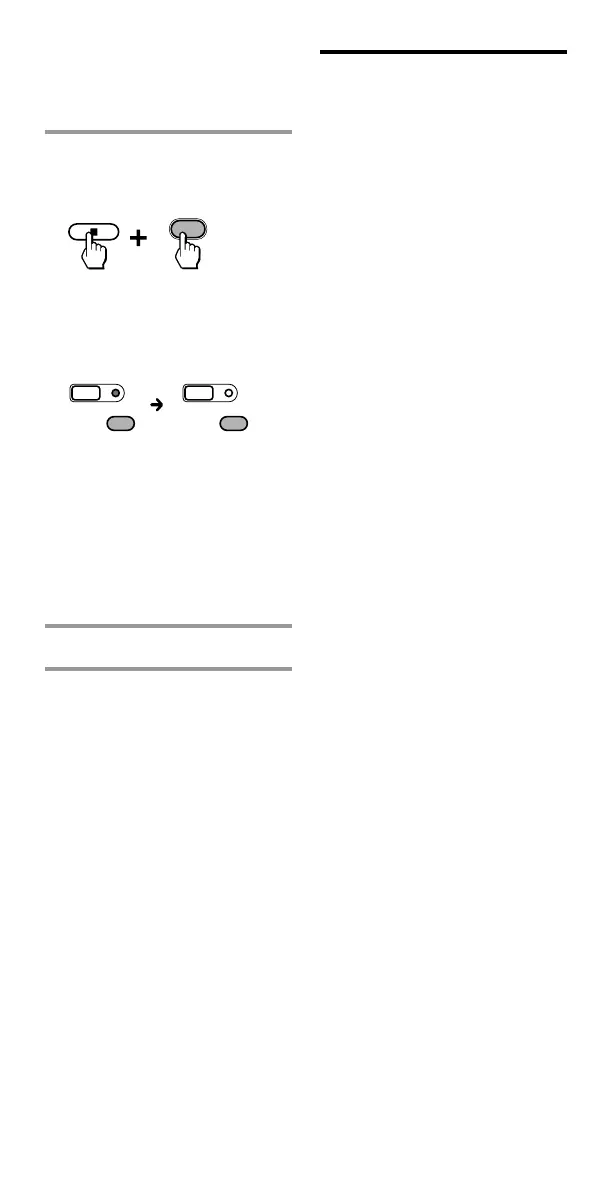
2 While holding x pressed,
press the Component Select
button you want to erase.
When erasing of a “learned”
function has completed, all the
other Component Select button
lights turn off.
Notes
•With this operation, you can only
erase the “learned” functions of
all buttons for a specific
component.
•To erase a single “learned”
function of a Component Select
button, see page 22.
3 Press SET to finish setting.
To cancel erasing, press SET.
SETSET
VCR
VCR
VCR
during data
erasing
data erasing
complete
Notes on programming the
signals for an air-
conditioner
About seasonal adjustments
If you change the settings of the
air-conditioner for the season, you
have to program the remote
control signals of the new settings
on the Commander.
If the power-on/off operation
does not work correctly
If the Commander can only
operate “ON” with one button
and “OFF” with another, while
your air-conditioner’s remote
control can operate “ON/OFF”
with a single button, program the
signal on two buttons of the
Commander as follows.
1 Clear the “learned” power-on/
off signal on the programmed
button of the Commander.
2 Reprogram only the power-on
signal of the air-conditioner on
the button of the Commander
by following the steps of
“Programming signals of
another remote control-
Learning Function” (page 16).
3 Program the power-off signal of
the air-conditioner on another
button of the Commander.
The two buttons of the
Commander have been
programmed with the power-on
signal and the power-off signal of
the air-conditioner respectively, so
that you can operate the air-
conditioner with the Commander.



 To Next Page