26
SATDVDTV CBL
TAPE
CDVCR AMP
SATDVDTV CBL
TAPE
CDVCR AMP
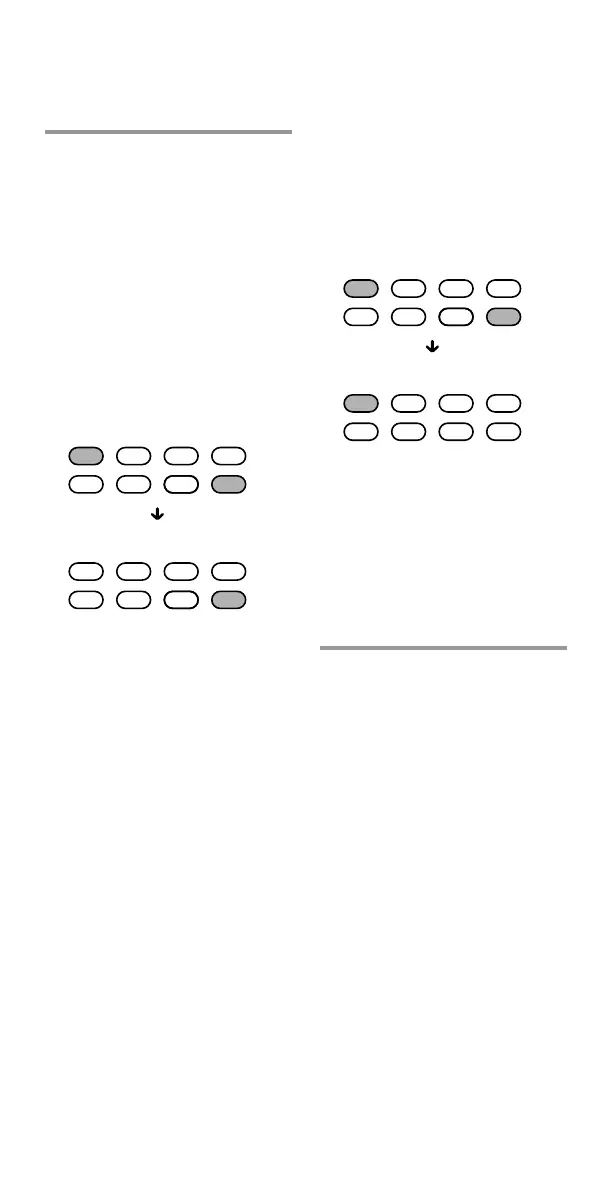
To set only the audio
components’ volume controls
to AMP
Press VOL – while holding
MUTING pressed.
Only AMP lights up when you
press these buttons, and then
turns off when you release them.
Press and while holding VOL–,
press MUTING.
Volume control setting complete.
Visual components are:
TV, video cassette recorder,
analog cable box, digital cable
box, digital satellite tuner,
DVD player, digital video
recorder
Audio components are:
CD player, MD player,
cassette deck, amplifier, DAV
To cancel setting, press SET.
Notes
• If you used the Learning function to
program the VOL +/– or MUTING
buttons to send a signal to a
component, the procedure above will
not change the function of the VOL
+/– and MUTING buttons.
SATDVDTV CBL
TAPE
CDVCR AMP
SATDVDTV CBL
TAPE
CDVCR AMP
Controlling the Volume of Visual
Components Connected to an
Audio System
(continued)
2 While holding MUTING
pressed, press VOL + or
VOL –.
To set all volume controls to
AMP
Press VOL + while holding
MUTING pressed.
All Component Select buttons
light up when you press these
buttons, and then turn off
when you release them.
Press and while holding VOL+,
press MUTING.
Volume control setting complete.



 To Next Page