19
GB
Continued
Programming the input
select for the amplifier
If you cannot select the input
source even after setting the code
number (page 8), you can “teach”
the function directly from the
amplifier’s remote commander.
Note
You can operate the amplifier only at
“S-8.”
1 Follow Step 1 to 2 on page
16 to go to the LEARN
mode.
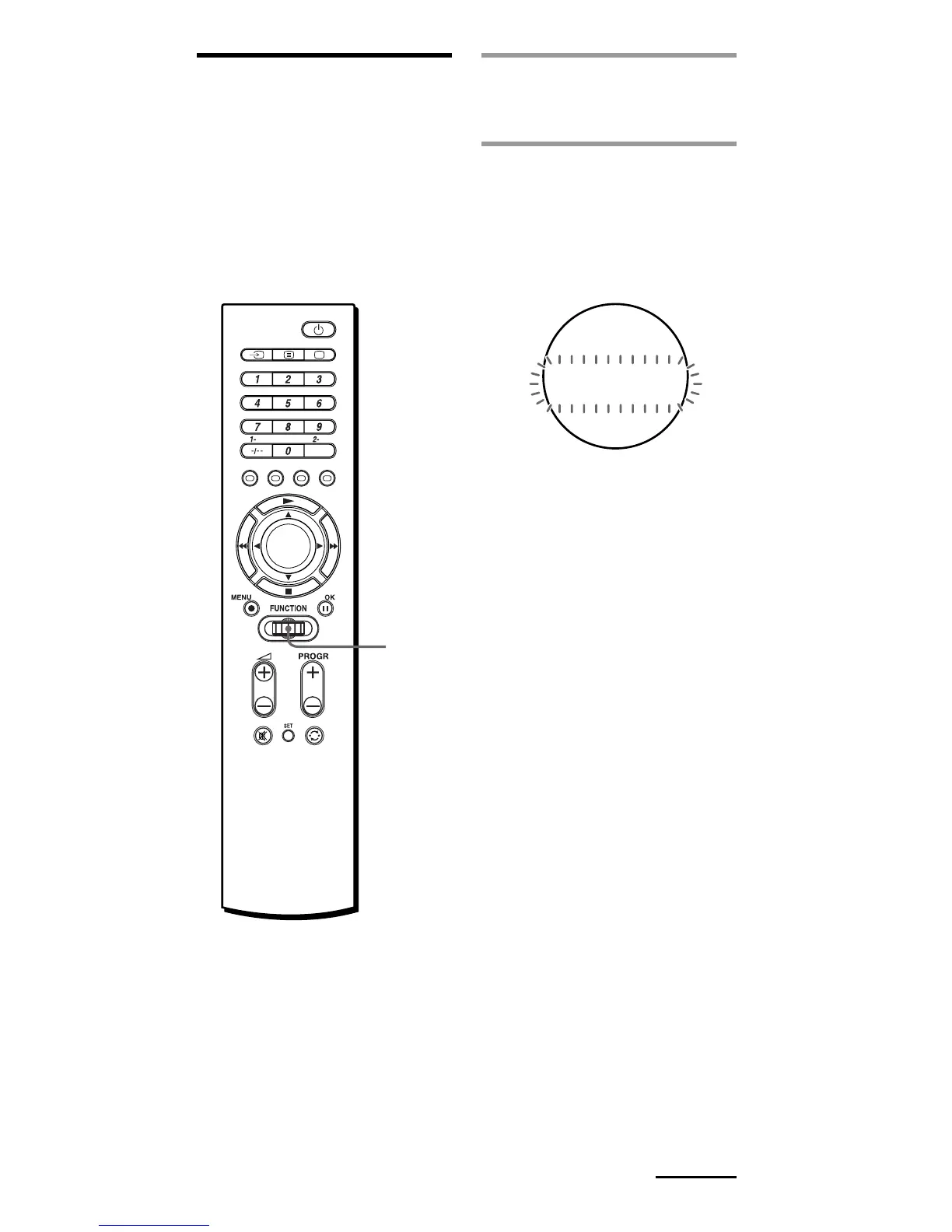
2 Turn the Jog dial to select
“S-8,” Then press the Jog
dial.
“AMP” appears and
“VIDEO1” flashes in the
display.
MPA
DE
ARNLE
IVO1
Jog
dial



 To Next Page