30
GB
Erasing All
Memorised Settings
(DELETE)
You can erase the memorised
settings, such as component code
numbers or names, or “learned”
settings to a Setting position
number, or all memorised settings
and reset the Commander to the
initial factory settings.
Erasing all memorised
settings from a Setting
position number
Tip
You can also press b/B instead of
turning the Jog dial to the left/right.
You can also press OK instead of
pressing the Jog dial.
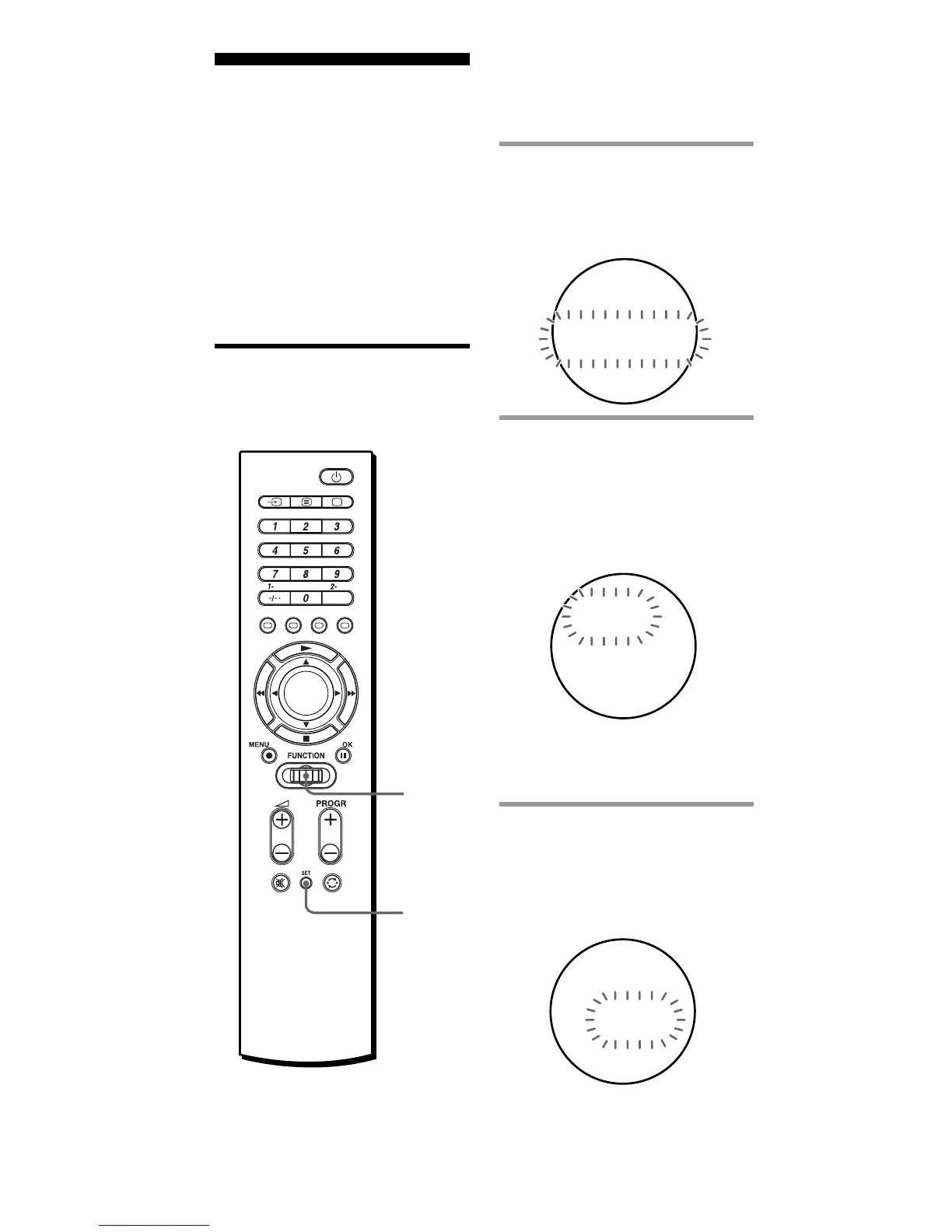
1 Press SET, and turn the Jog
dial to select “DELETE.”
“DELETE” flashes in the
display.
2 Press the Jog dial.
The Setting position number
flashes, and the component
name appears in the display.
The Commander changes to
the DELETE mode.
Note
If you have changed the name of
the component (page 26) that name
is displayed.
3 Turn the Jog dial to select
the desired component,
then press the Jog dial.
“OK?” flashes rapidly in the
display.
LE
TSE
EDTE
-1S
LDE
VT
-1S
OK
LDE
?
1
Jog
dial



 To Next Page