7
Getting Started
Other Components Hookups
Since this speaker system has an internal amplifier and
preamplifier, you can output signals directly from
components, such as CD players, DVD (2 ch) players,
LD players, etc.
IN
2
R
L
OUT
RL
ç
Note
Do not connect an amplified audio source. The combined
amplification from the component and the speaker's internal
amplifier may damage the speakers.
Front speaker (left)
If you have a Sony XBR
2
series TV or Sony Projection
TV equipped with a speaker switch
(For U.S. and Canadian customers only)
If your Sony XBR
2
series TV or Projection TV is
compatible with SAVA series speakers, you can use the
TV’s menu and remote control functions to operate this
speaker system.
For details, see the operating instructions supplied
with your TV.
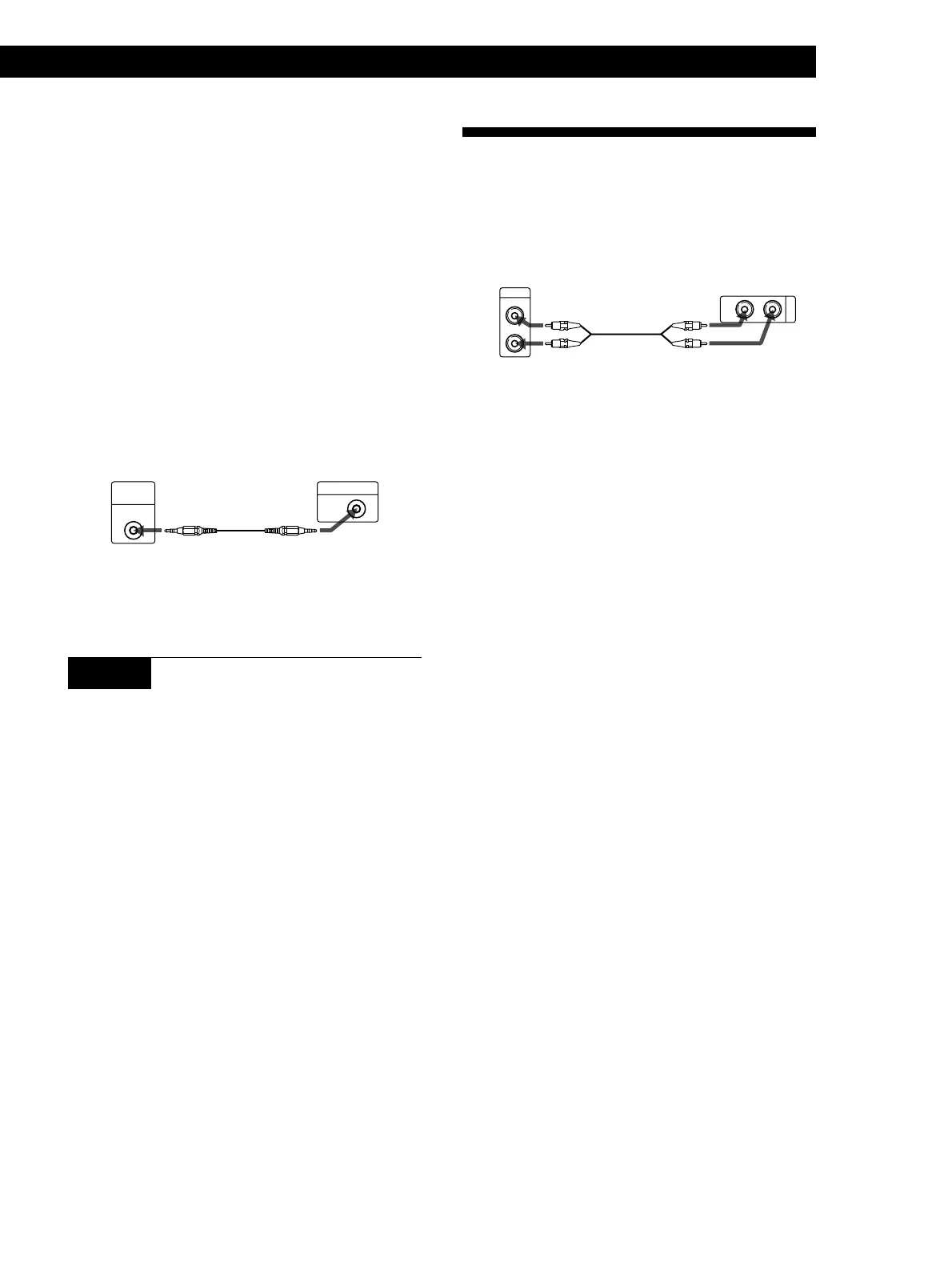
Be sure to connect the 1 IN jacks on the front speaker
(left) to the TV’s FIXED AUDIO OUTPUT jacks if you
make this connection.
1 Use an optional CONTROL S cord to connect the
CONTROL S TV IN jack on the front speaker (left)
to the CONTROL S OUT jack on the back of the TV.
CONTROL
S
OUT
CONTROL S
TV IN
ç
2 Follow the instructions supplied with your TV to set
it to operate this speaker system.
STEP 5 Connecting the AC power cord
Connect the AC power cord from the front speaker to a
wall outlet. The STANDBY indicator on the front
speaker (left) lights red.
Front speaker (left)
XBR
2
series TV or
Projection TV
(Sold separately)
CD, DVD, LD, etc.


 To Next Page