Basics
Charging the battery
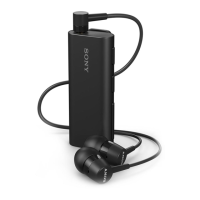
Before using the Stereo Bluetooth® Headset SBH60 for the first time, you need to
charge it for approximately 1 hour. Sony chargers are recommended.
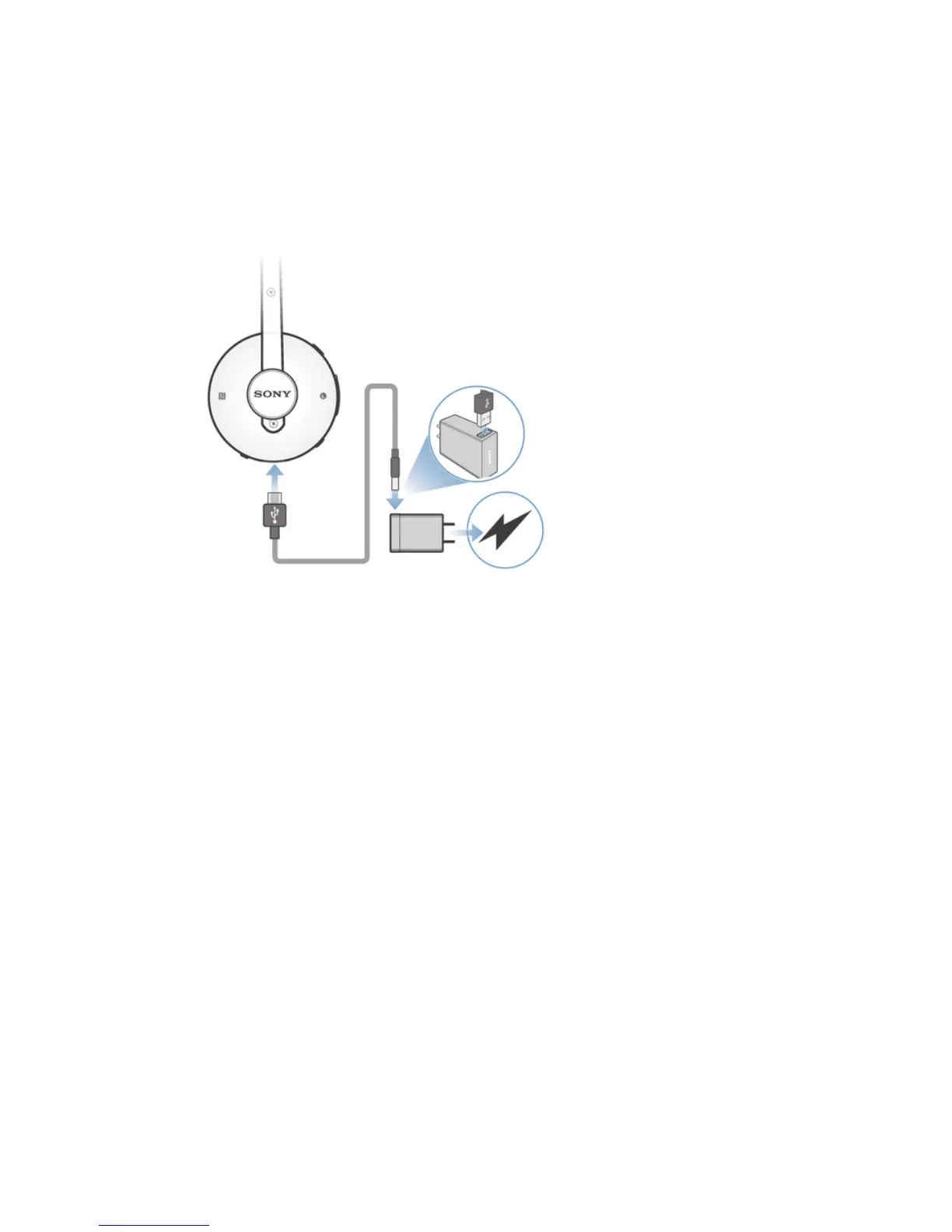
To charge your headset
1
Plug one end of the USB cable into the charger.
2
Plug the other end of the cable into the Micro USB port of your Stereo
Bluetooth® Headset SBH60.
3
After your headset is fully charged, the notification light turns to green.
Turning the headset on and off
To turn on the headset
•
Press and hold down the Power key until a white notification light flashes once.
To turn off the headset
•
Press and hold down the Power key until a white notification light flashes
rapidly three times.
Adjusting the volume
To change the call or music volume
•
During a call, or when listening to music, press the Volume key up or down.
Resetting and restarting
You can reset your Stereo Bluetooth® Headset SBH60 to its factory default settings.
This action, which deletes all pairing-related data on your headset, is sometimes
necessary if your headset stops functioning properly.
You can also force your Stereo Bluetooth® Headset SBH60 to restart in situations
where it hangs or does not restart normally. When you force your headset to restart,
no pairing data is deleted.
5
This is an Internet version of this publication. © Print only for private use.


 To Next Page