Playing Tracks Repeatedly
You can play an entire disc or portions thereof repeatedly
This function can be used with Shuffle Play to repeat all
the tracks in random order (page 19), or with Program
Play to repeat all the tracks in a program (page 20).
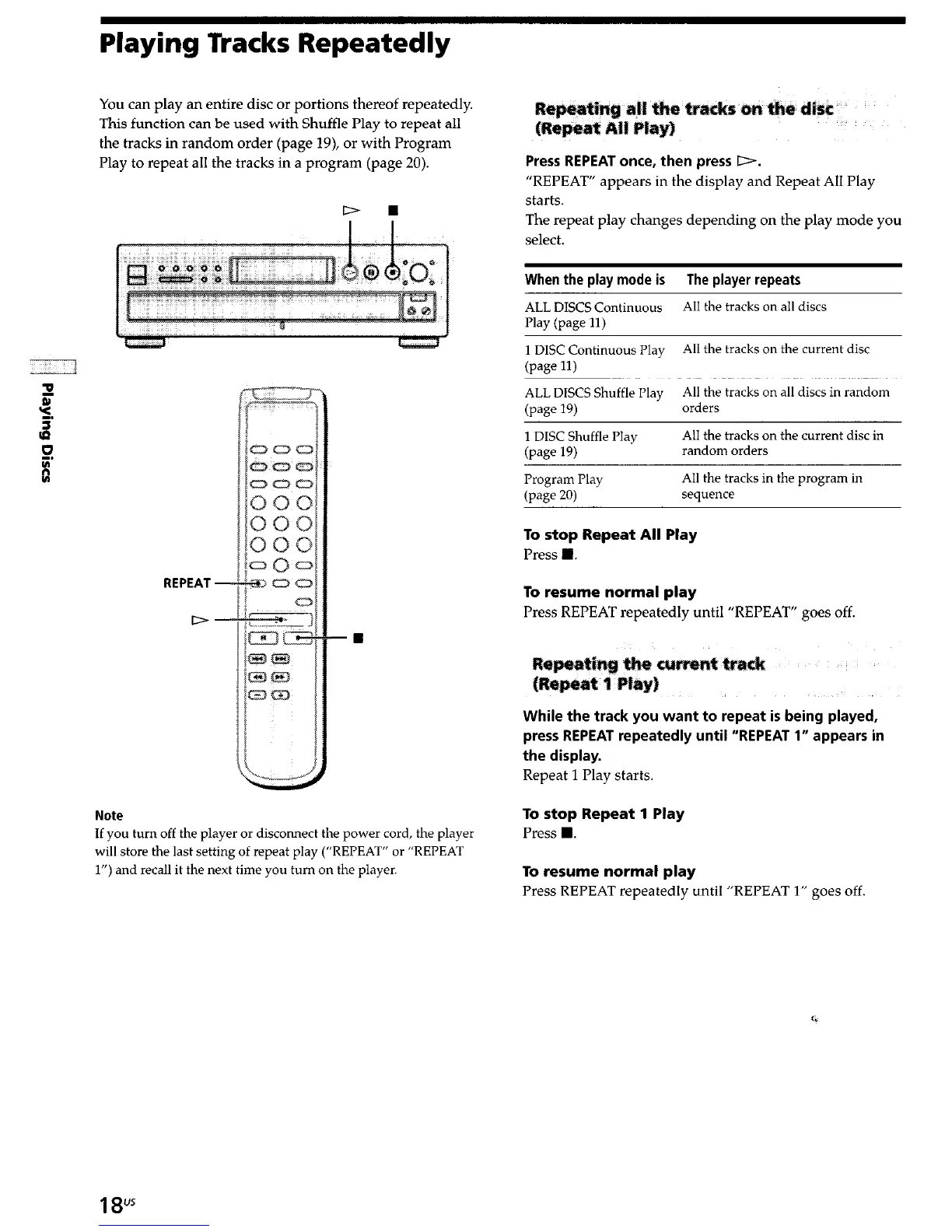
D
n
REPEAT -
D-
Note
If you turn off the player or disconnect the power cord, the player
will store the last setting of repeat play (“REPEAT” or “REPEAT
1”) and recall it the
next
time
you turn on
the player.
Press REPEAT once, then press D.
“REPEAT” appears in the display and Repeat All Play
starts.
The repeat play changes depending on the play mode you
select.
When the play mode is The player repeats
ALL DISCS Continuous
All the tracks on all discs
Play (page 11)
1 DISC Continuous Play
All the tracks on the current disc
(page 11)
ALL DISCS Shuffle Play
All the tracks on all discs in random
(page 19)
orders
1 DISC Shuffle Play
All the tracks on the current disc in
(P&w 19)
random orders
Program Play
All the tracks in the program in
(page 20)
sequence
To stop Repeat All Play
Press H.
To resume normal play
Press REPEAT repeatedly until “REPEAT” goes off.
While the track you want to repeat is being played,
press REPEAT repeatedly until “REPEAT 1” appears in
the display.
Repeat 1 Play starts.
To stop Repeat 1 Play
Press n .
To resume normal play
Press REPEAT repeatedly until “REPEAT 1” goes off
18"



 To Next Page