EasyManua.ls Logo

Sony SL-HF550 - Page 29

Sony SL-HF550
32 pages
Print Icon
To Next Page IconTo Next Page
To Previous Page IconTo Previous Page
Loading...
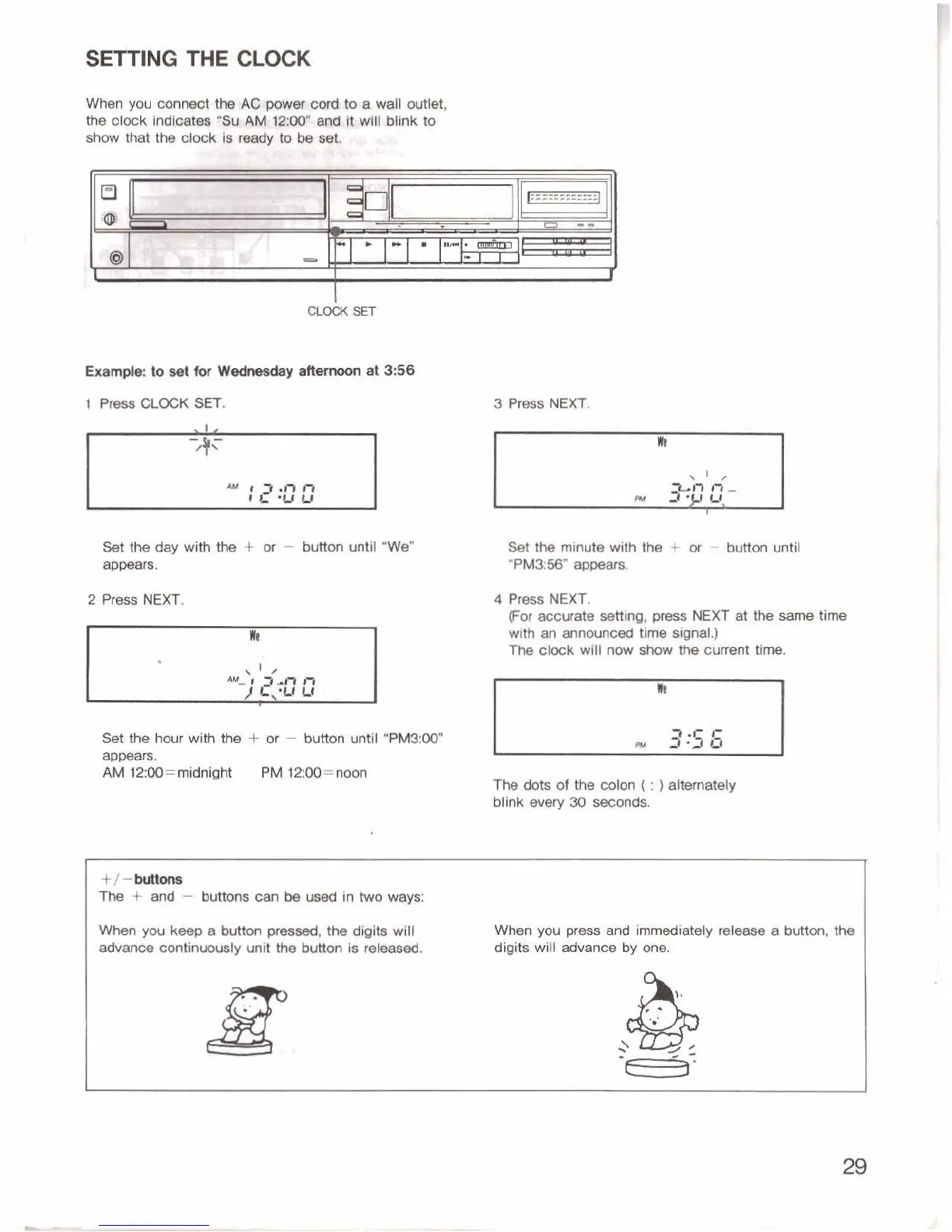
StNG
THE
CLOCK
When
you
connect
tbe
AG
power
ad
tO
a
MI
outlet,
the
ctmk
indhtes
FSau
AM
lmy.W
#
wlrvltl
bllnk
to
CLOCK
SET
1
Pm
CLOCK
SFT.
Set
the
day
with
the
f
or
-
button
until
"We"
appears.
2
Press
NEXT.
Set
the
hour
with
the
t
or
-
button
untll
"PM3:W
spm.
AM
12:00=
midnight
PM
12:W
=
nmn
3
Press
NEXT.
Set
the
minute
with
the
t
or
-
button
until
'PMSW
appears.
4
Press
NEXT.
(For
accurate
setting,
press
NEXT
at
the
sum
time
with
an
annwncd
time
signal.)
The
clock
will
now
show
the
current
time.
The
dots
of
the
colon
(
:
)
alternately
blink
evary
30
sezonds.
+/-&wm
The+
and-
butbmcantmmdintwoways:
When
you
keep
a
button
m,
the
dbib
will
advance
continuously unit
the
button
is
mks4.
When
you
peas
and
immediately
releerse
a
button,
the
dbts
wHI
Mnce
by
me.