18
GB
Listening to music on an
external device (AUDIO
IN)
1
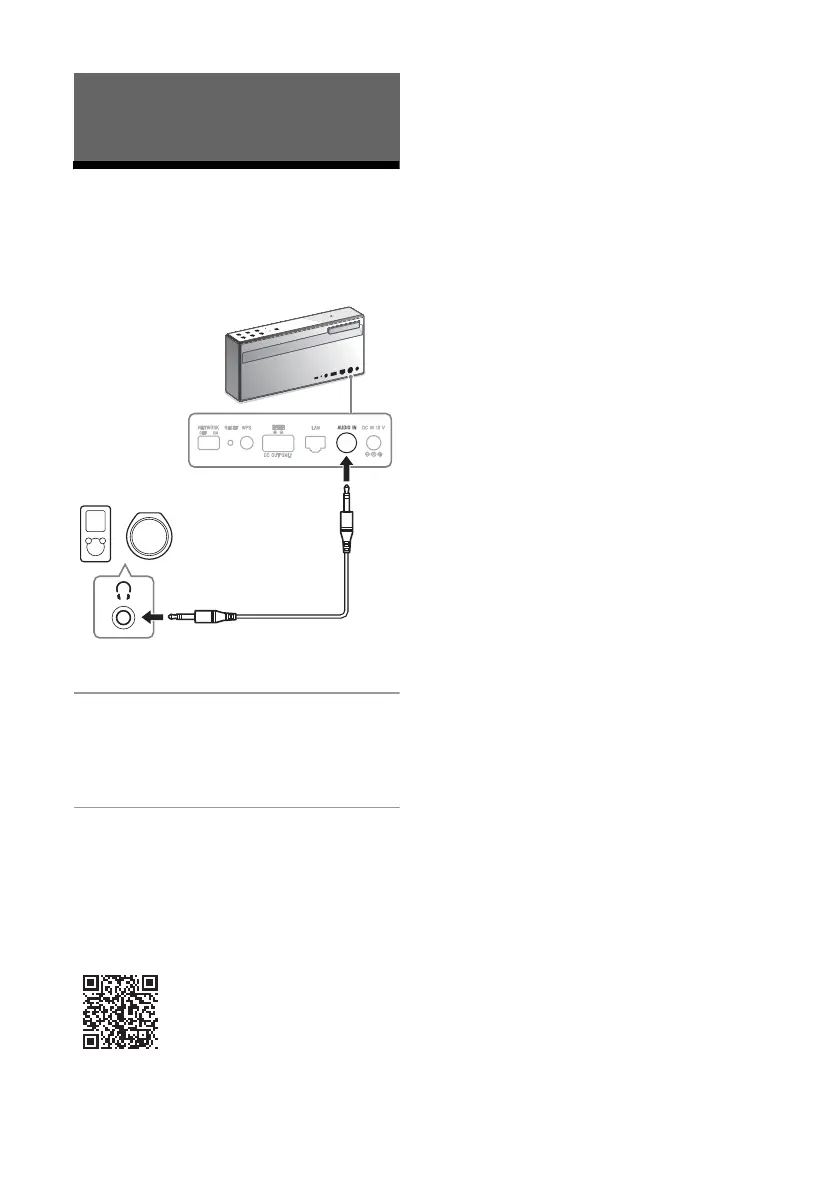
Connect the device to the AUDIO
IN jack with an audio cable (not
supplied).
2
Tap the AUDIO IN button, then
start playback on the connected
device.
Refer to Help Guide for detailed
operation.
http://rd1.sony.net/help/speaker/srs-x77/h_zz/
Listening to music with connected
components
Audio cable
(not supplied)



 To Next Page