Help Guide
Wireless Speaker
SRS-XB21
Turning the power off
Hint
If you turn off the speaker when it is connected to an AC outlet via a USB AC adaptor (commercially available), or connected to a
booted computer, and while the BLUETOOTH standby function is on, the
(power) indicator lights up in orange and the
speaker enters the BLUETOOTH standby mode.
Related Topic
Auto power off (Auto Standby) function
Using the BLUETOOTH standby function
4-735-513-11(3) Copyright 2018 Sony Corporation
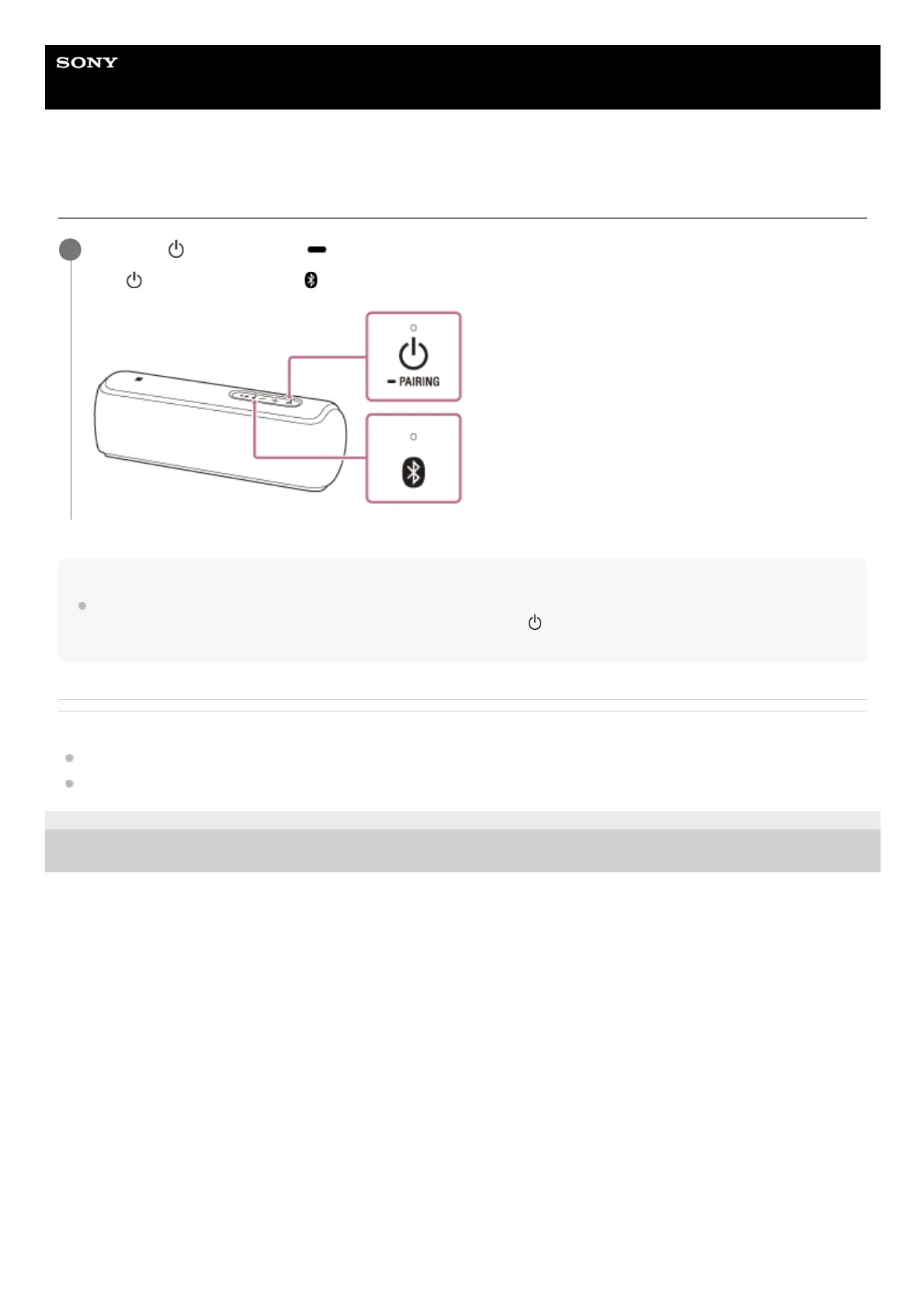
Press the
(power) button/ PAIRING button.
The
(power) indicator and (BLUETOOTH) indicator turn off.
1



 To Next Page