Hint
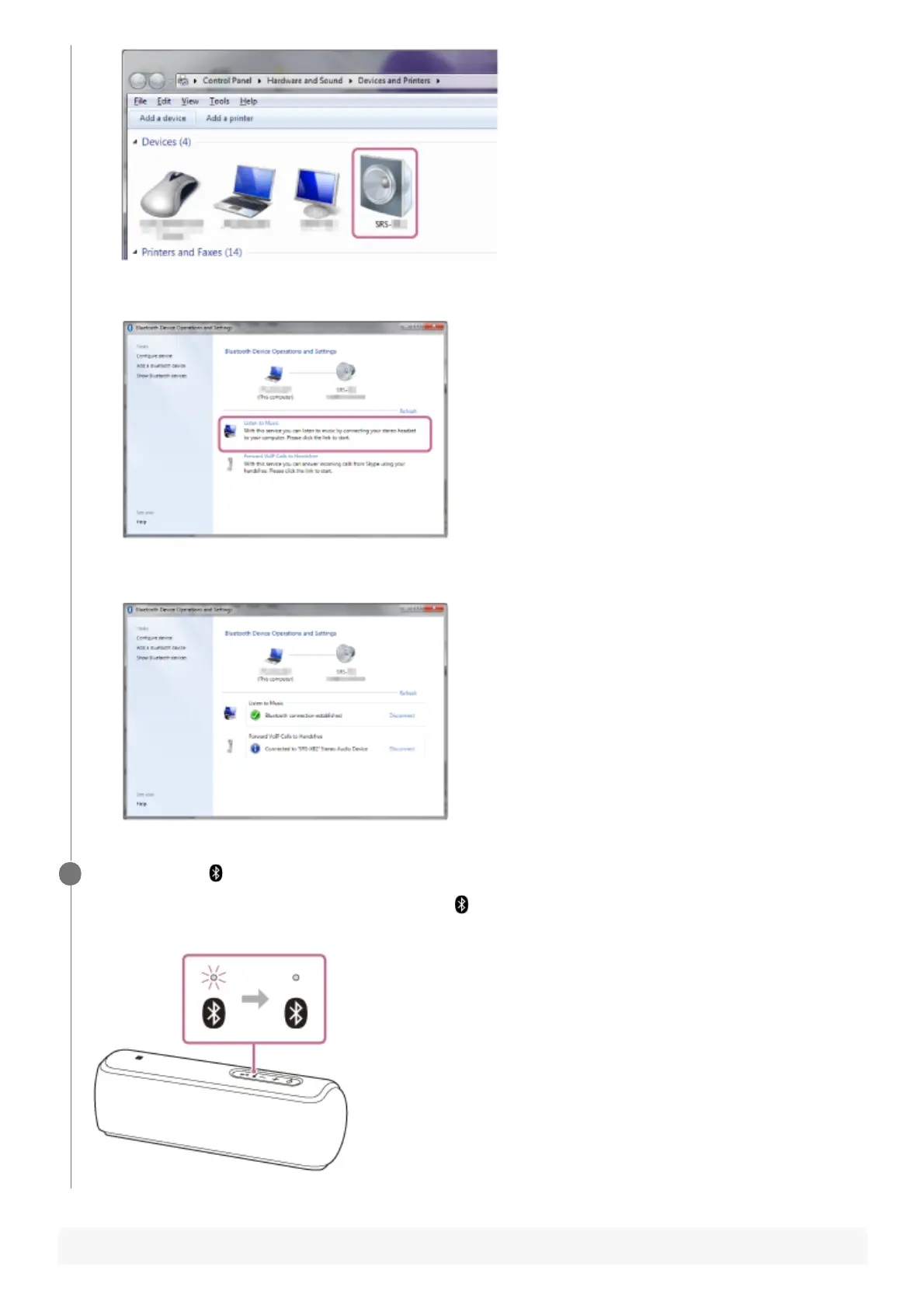
Click [Listen to Music].
When the speaker is connected, a checkmark will appear.
2.
Check that the
(BLUETOOTH) indicator has switched from flashing to a steady light.
When the speaker is connected to the computer, the
(BLUETOOTH) indicator stays lit. You can enjoy playing
back music, etc. from your computer.
6


 To Next Page