EasyManua.ls Logo

Sony STR-D1090 - Presetting Stations for Quick Access; Memorizing FM;AM Stations; Replacing Existing Preset Stations

Sony STR-D1090
51 pages
Print Icon
To Next Page IconTo Next Page
To Previous Page IconTo Previous Page
Loading...
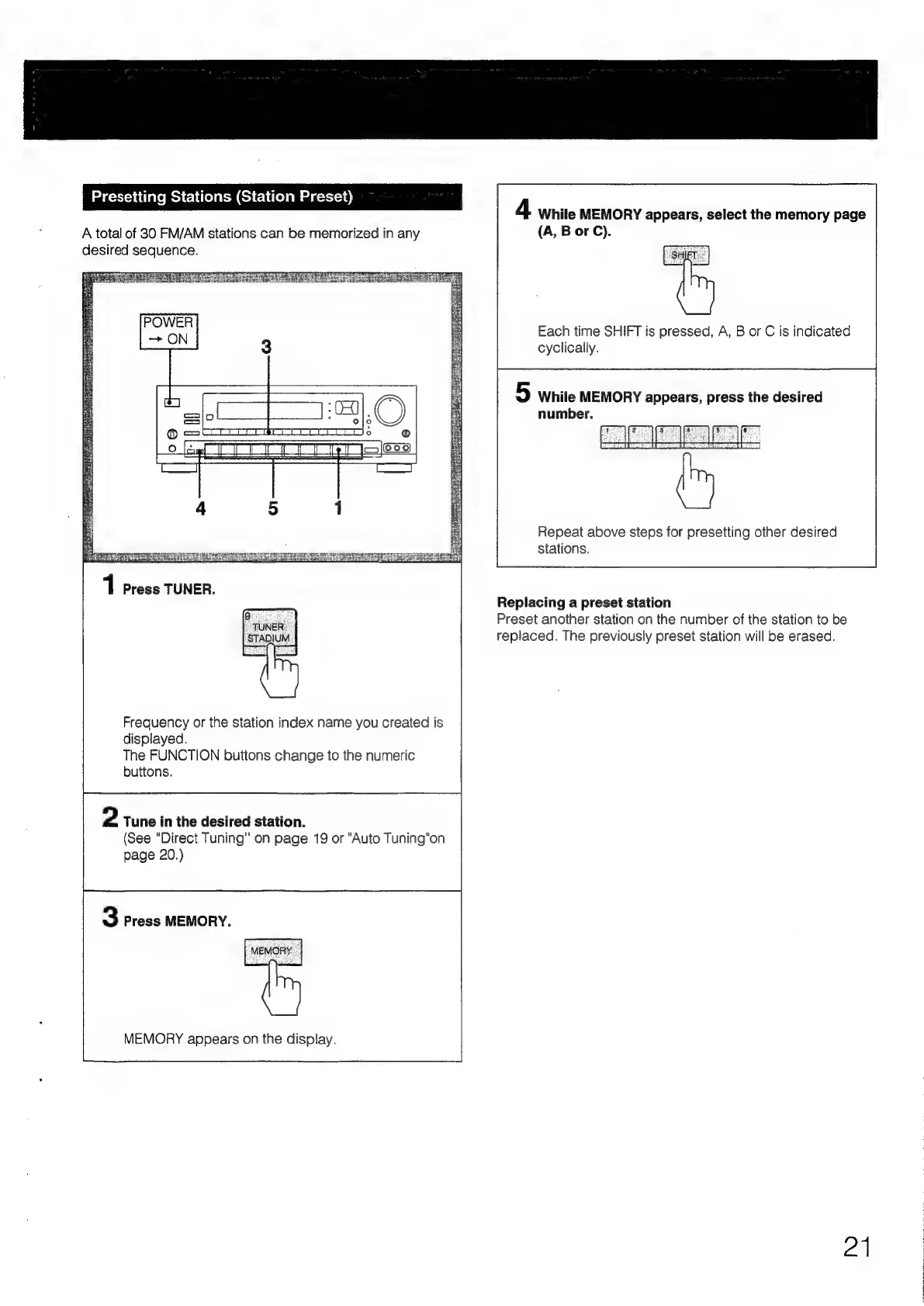
Presetting
Stations
(Station
Preset)
A
total
of
30
FM/AM
stations
can
be
memorized
in
any
desired
sequence.
Frequency
or
the
station
index
name
you
created
is
displayed.
The
FUNCTION
buttons
change
to
the
numeric
buttons.
2
Tune
in
the
desired
station.
(See
“Direct
Tuning"
on
page
19
or
"Auto
Tuning"on
page
20.)
3
Press
MEMORY.
MEMORY
appears
on
the
display.
4
While
MEMORY
appears,
select
the
memory
page
(A,
B
or
C).
Each
time
SHIFT
is
pressed,
A,
B
or
C
is
indicated
cyclically.
5
While
MEMORY
appears,
press
the
desired
number.
Repeat
above
steps
for
presetting
other
desired
stations.
Replacing
a
preset
station
Preset
another
station
on
the
number
of
the
station
to
be
replaced.
The
previously
preset
station
will
be
erased.
21

Table of Contents

Related product manuals