24
US
D:\Cannes\STR-DA3400ES_U_R1\3289137121\3289137121\3289137121\01US-
STRDA3400ESUC\030CON.fm
masterpage: Left
STR-DA3400ES
3-289-137-12(1)
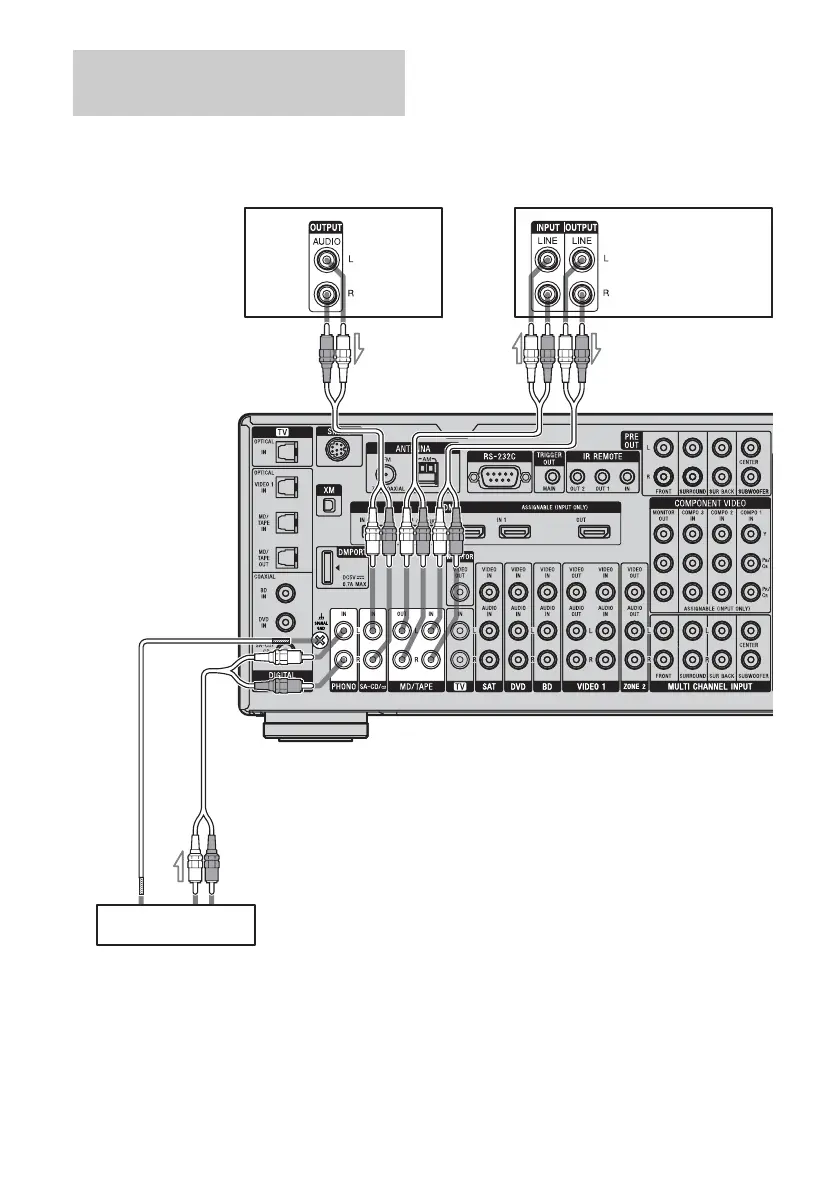
The following illustration shows how to
connect a component with analog jacks, such
as a tape deck, turntable, etc.
Note
If your turntable has a ground (earth) wire, connect
it to the (U) SIGNAL GND terminal.
Connecting components with
analog audio jacks
Super
Audio CD
player, CD
player
Tu rn ta ble
A
MD deck, Tape deck
A Audio cord (not supplied)
A
A















 To Next Page