24
GB
Location of Parts and Basic Operations
!£ !™!¢
9 !¶ 0!•
!¡
!§!∞
PHONES
SPEAKERS
A
OFF
A
+B
B
0
1
0
SHIFT FM/AM
– +
PRESET TUNING
MEMORY FM MODE
LRVIDEO AUDIOS-VIDEO
INPUT
MODE
VIDEO 3
INPUT
EQUALIZER SOUND FIELD
GENRE MODE
CURSOR
MODE
SET UP
V
bB
v
PHONO
SOUND FIELD
ON/OFF
TUNERCDMD/DATTAPETV/LDDVDVIDEO 3VIDEO 2
BASS BOOST
VIDEO 1
•
•
•
BALANCE
LR
SUR
INDEX
EQ
DISPLAY
MULTI CHANNEL DECODING
MODE FUNCTION MUTING
MASTER
VOLUME
5.1
INPUT
TUNING/
– PTY SELECT +
RDS
PTY EON
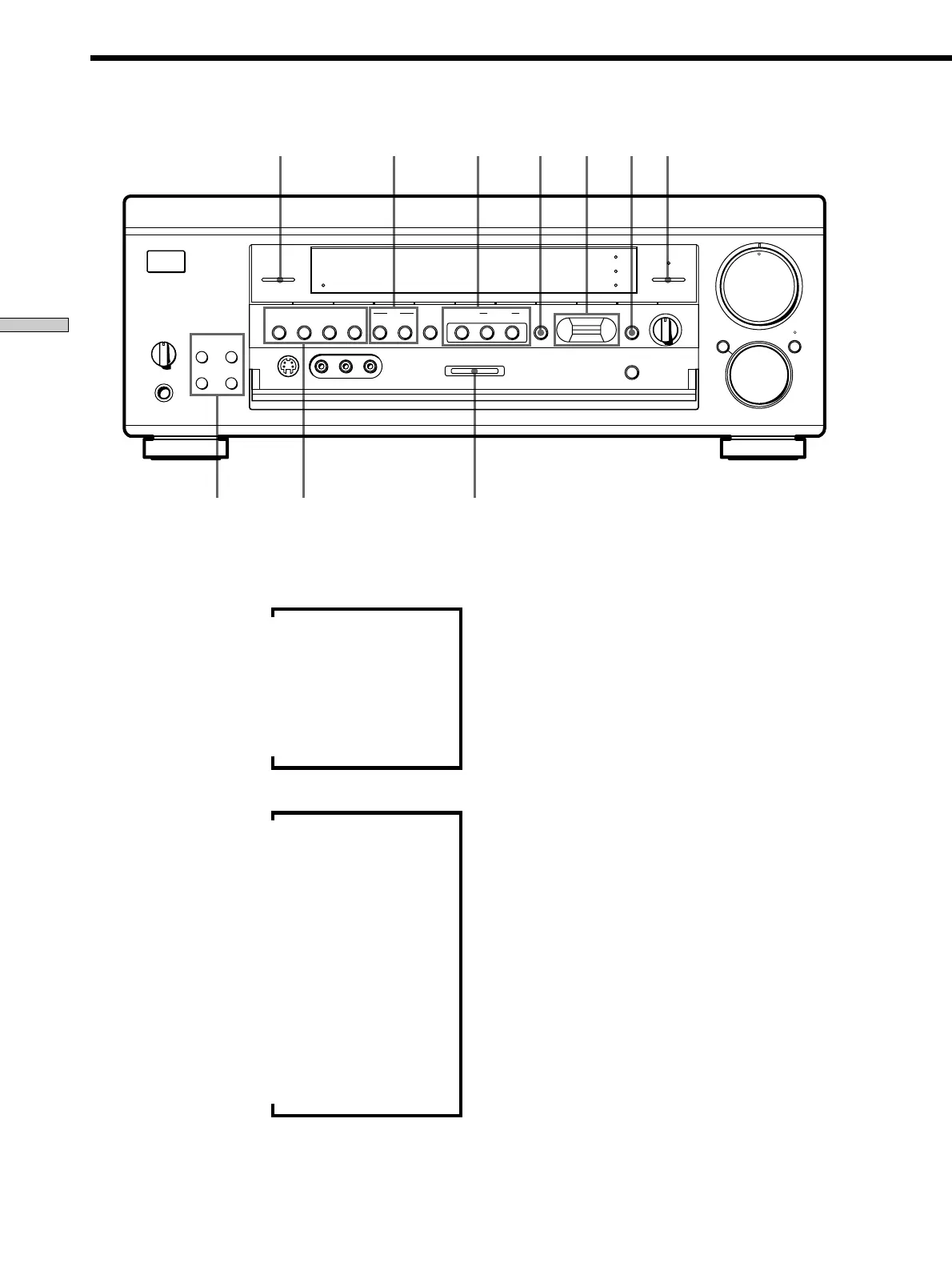
9 DISPLAY button
Press repeatedly to change the information on the
display window as follows:
v
Index name of the component*
v
Selected component
v
Sound field applied to the component
When the tuner is selected
v
Index name of the preset station* or program
station name**
v
Frequency
v
Program type indication**
v
Radio text**
v
Current time**
v
Sound field applied to the band or the preset
station
* Index name appears only when you have assigned one to the
component or preset station (see page 45). Index name does not
appear when only blank spaces have been entered, or it is the
same as the function button.
** These indications appear only during RDS reception (see page
41).
!º SOUND FIELD ON/OFF button
Press to turn the sound field on or off. The indicator
above the button lights when the sound field is on.
For details, see “Enjoying Surround Sound” starting
from page 26.
!¡ Use the following buttons to enjoy surround sound.
For details, see “Enjoying Surround Sound” starting
from page 26.
EQUALIZER button
Press to turn the equalizer on or off. The EQ indicator
lights when the equalizer is turned on.
When you adjust the equalizer using the CURSOR
MODE menu EQUALIZER parameters (page 34) the
settings are stored automatically and can be
reproduced whenever you turn on the equalizer.
GENRE button
Press to select the sound field group you want.
MODE button
Press to select a sound field from the group you
selected.
!™ MULTI CHANNEL DECODING indicator
This indicator lights when the sound field is on and
the unit is decoding signals recorded in a multi
channel format.
Front Panel Parts Description















 To Next Page