17
GB
Sharing Content (music, photos, and videos) on Devices on the Home Network
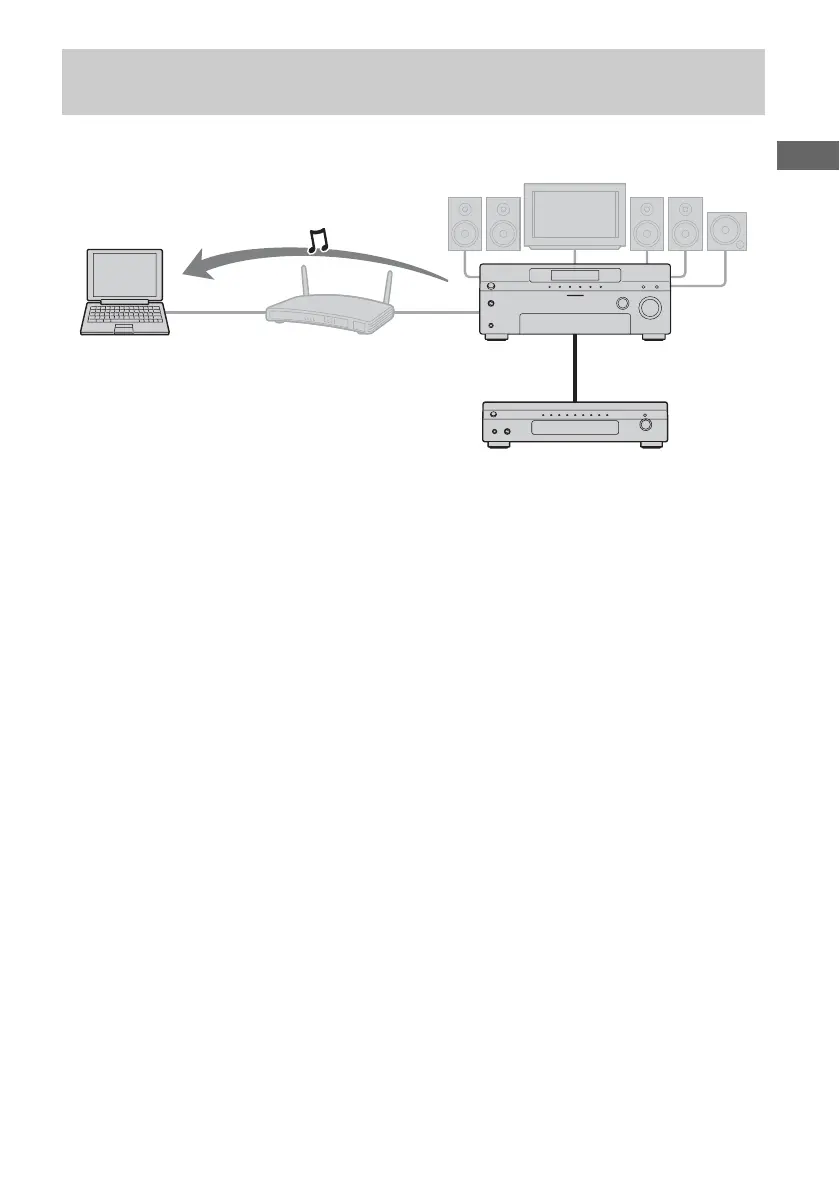
The following illustration is an example of listening to the audio of a component connected to the
receiver using a computer.
1 Select the receiver as a server
using the device on the home
network.
2 Select the content you want to
play back using device on the
home network.
Refer to the operating instructions of the
device.
Notes
• You cannot play back on two or more devices on
your home network at the same time audio
delivered from the receiver. When there is a device
already playing back content of the receiver, you
cannot play back any of the content of the receiver
on another device.
• The audio is switched to the latest audio which is
selected on the receiver, even though the display of
devices on a home network does not change when
you operate the FM/AM tuner on this receiver
while listening to the FM/AM tuner on the home
network.
• Turn the server function to off, then turn it to on
again to reflect the latest setting onto the home
network after you change the following setting
items.
– input name and icon assigned that name
– preset station name on the FM/AM tuner
Refer to “Turning the server function on/off”
(page 25) for details on operations to turn on/off
the server function.
Listening to the audio of the components connected to the receiver or
the built-in FM/AM tuner on a device on your home network
STR-DA6400ES
Computer
Component connected using an
audio cord (not supplied)















 To Next Page