19
GB
Listening to SHOUTcast Using the Receiver
Listening to SHOUTcast
SHOUTcast is a digital audio streaming
technology-based radio service.
SHOUTcast is a directory of internet radio
stations, allowing users to access thousands of
free online radio stations from DJs and
broadcasters around the world.
Refer to http://www.shoutcast.com for details.
You can enjoy listening to the sound of a
SHOUTcast internet radio without turning on
your computer by connecting the receiver
directly to Internet.
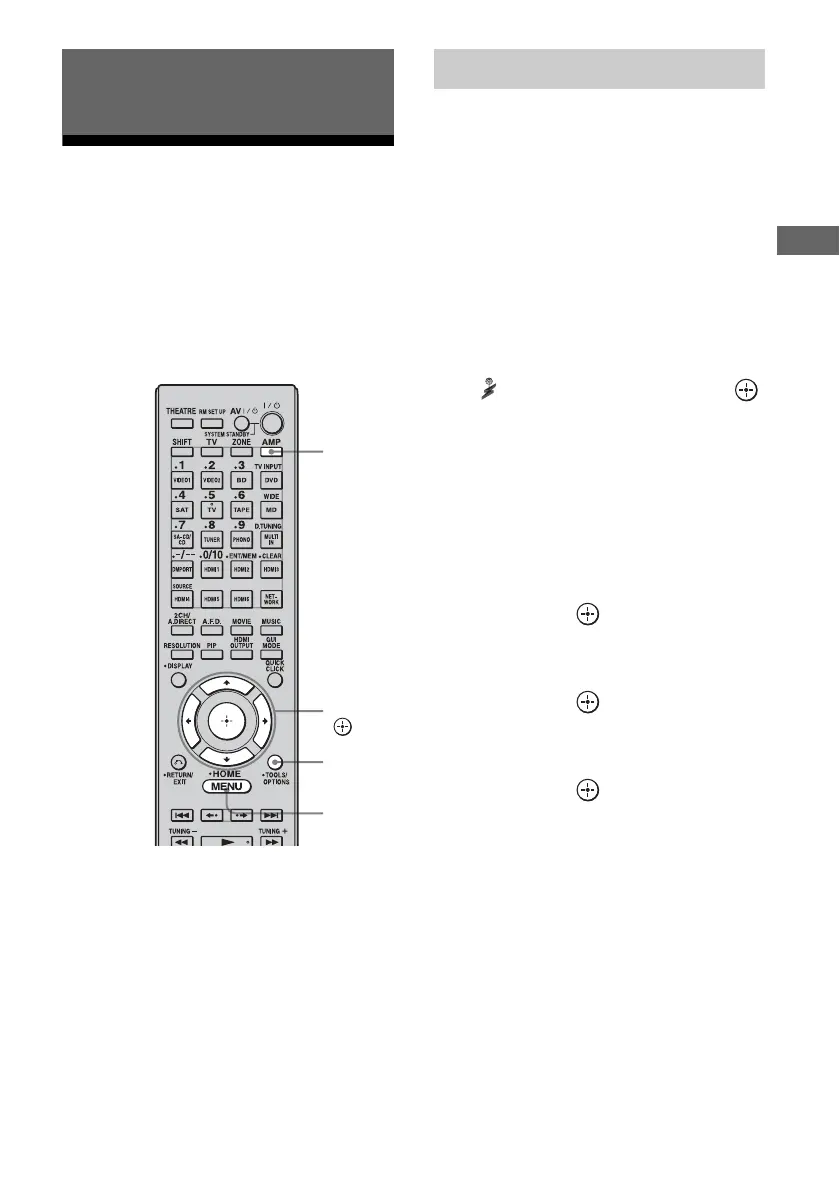
1 Press AMP.
The receiver can be operated using the
remote.
2 Press MENU.
The menu is displayed on the TV screen.
3 Press V/v repeatedly to select
“ SHOUTcast,” then press
or b.
Proceed to step 5 when you receive the
SHOUTcast on this receiver at first time.
4 Press RETURN/EXIT O to
display SHOUTcast station list.
5 Press V/v repeatedly to select
“Preset List,” “0-9,” or A to Z,
then press .
6 Press V/v repeatedly to select
the genre you want to listen to,
then press .
7 Press V/v/B/b to select the
station you want to listen to,
then press .
The reception screen appears on the TV
screen, and the station you selected is
received.
Notes
• When the number of stations is large, up to 100
stations can be displayed (in order) on this receiver.
• The audio supplied in a format that is not supported
by this receiver does not appear on the list.
• You can listen to only the same station in both the
main zone and the 2nd zone.
Priority is given to the station which has most
recently been selected, even if other station is
currently being selected in one of zones.
Listening to SHOUTcast Using
the Receiver
AMP
V/v/B/b,
OPTIONS
MENU
Selecting a SHOUTcast station















 To Next Page