@]
SPEAKERS section
Remotec;ommander
12
- -
PRESET~
.
REPLAY.
AOVAH.
C.
E
p.'~.
E.
T
..
+
@CBc:=D
~
..
TU"'''G -
CATEGORY
MODE
TUN'N<l
t
8.
(2-'.)·8
F~~ilE
•
20
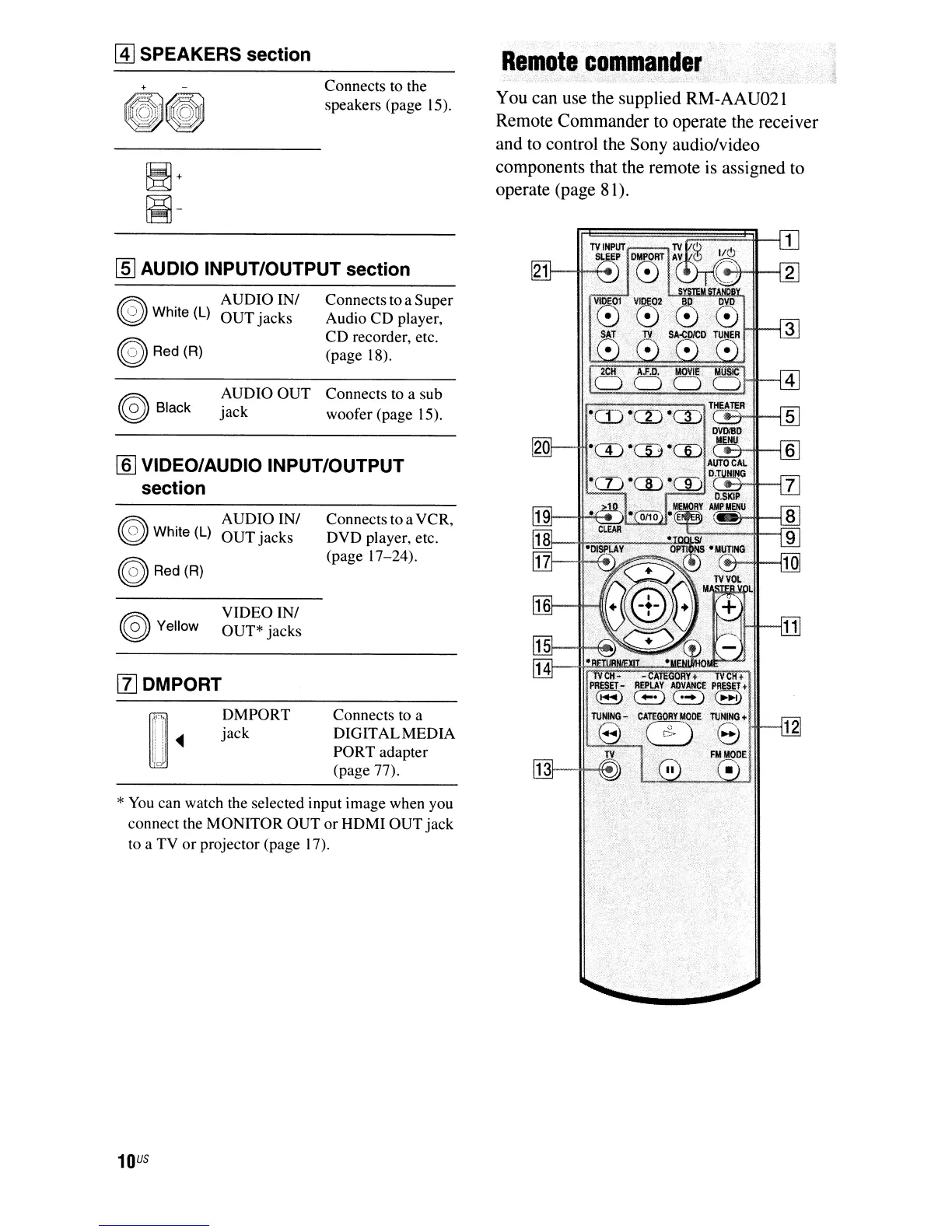
You can use the supplied RM-AAU021
Remote Commander to operate the receiver
and to control the Sony audio/video
components that the remote is assigned to
operate (page 8 I).
Connects to a
DIGITALMEDIA
PORT adapter
(page 77).
Connects to a VCR,
DVD player, etc.
(page 17-24).
Connects to a Super
Audio CD player,
CD
recorder, etc.
(page 18).
Connects to the
speakers (page 15).
VIDEO IN/
OUT* jacks
DMPORT
jack
AUDIO IN/
OUT
jacks
AUDIO IN/
OUT
jacks
AUDIO
OUT
Connects to a sub
jack
woofer (page 15).
~White(L)
~
Red(R)
~
Yellow
*
You
can watch the selected input image when you
connect the MONITOR OUT
or
HDMI
OUT
jack
to a TV
or
projector (page
17).
®White(L)
~Red(R)
~
Black
[lJ DMPORT
rnJ
VIDEO/AUDIO INPUT/OUTPUT
section
[ID
AUDIO INPUT/OUTPUT section
10
US



 To Next Page