13
GB
D:\NORM'S JOB\SONY HA\SO0129\STR-DH820_PMRF_01\4266497112_GB\GB03DES_STR-
DH820-CEL.fm
masterpage: Right
STR-DH820
4-266-497-11(2)
* You must connect the HDMI TV OUT or
MONITOR OUT jack to your TV to watch the
selected input image (page 23).
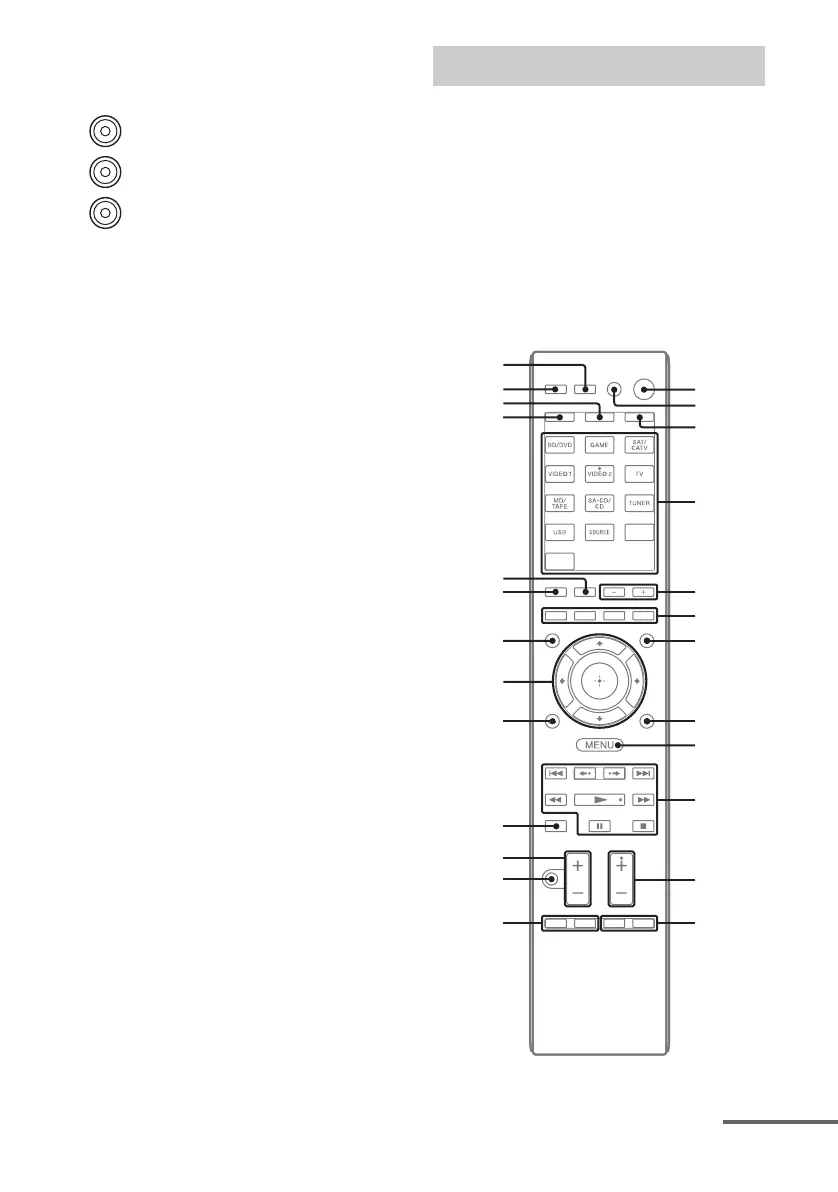
Use the supplied remote control to operate this
receiver and other equipment. The remote
control is pre-programmed to operate Sony
audio/video equipment. You can also program
the remote control to operate non-Sony
equipment. For details, see “Programming the
remote control” (page 80).
• RM-AAP061 (USA and Canada
models only)
• RM-AAP062 (Other models)
G COMPONENT VIDEO INPUT/
OUTPUT section (page 23, 27, 28)
Y, PB, PR IN/OUT* jacks
Green
(Y)
Blue
(P
B)
Red
(P
R)
Remote control
w;
wa
ws
ql
qd
qk
wf
wg
wd
1
2
3
4
5
6
0
qa
qs
qg
7
qj
qh
qf
8
9
continued














 To Next Page