58
GB
D:\NORM'S JOB\SONY HA\SO0129\STR-DH820_PMRF_01\4266497112_GB\GB05ENJ_STR-
DH820-CEL.fm
masterpage: Left
STR-DH820
4-266-497-11(2)
Using the SOUND
OPTIMIZER
The Sound Optimizer lets you enjoy clear and
dynamic sound at low volume levels. It
automatically calibrates the sound which
cannot be heard well when you turn down the
volume level. After Auto Calibration is
performed, the sound level is optimized to suit
your environment.
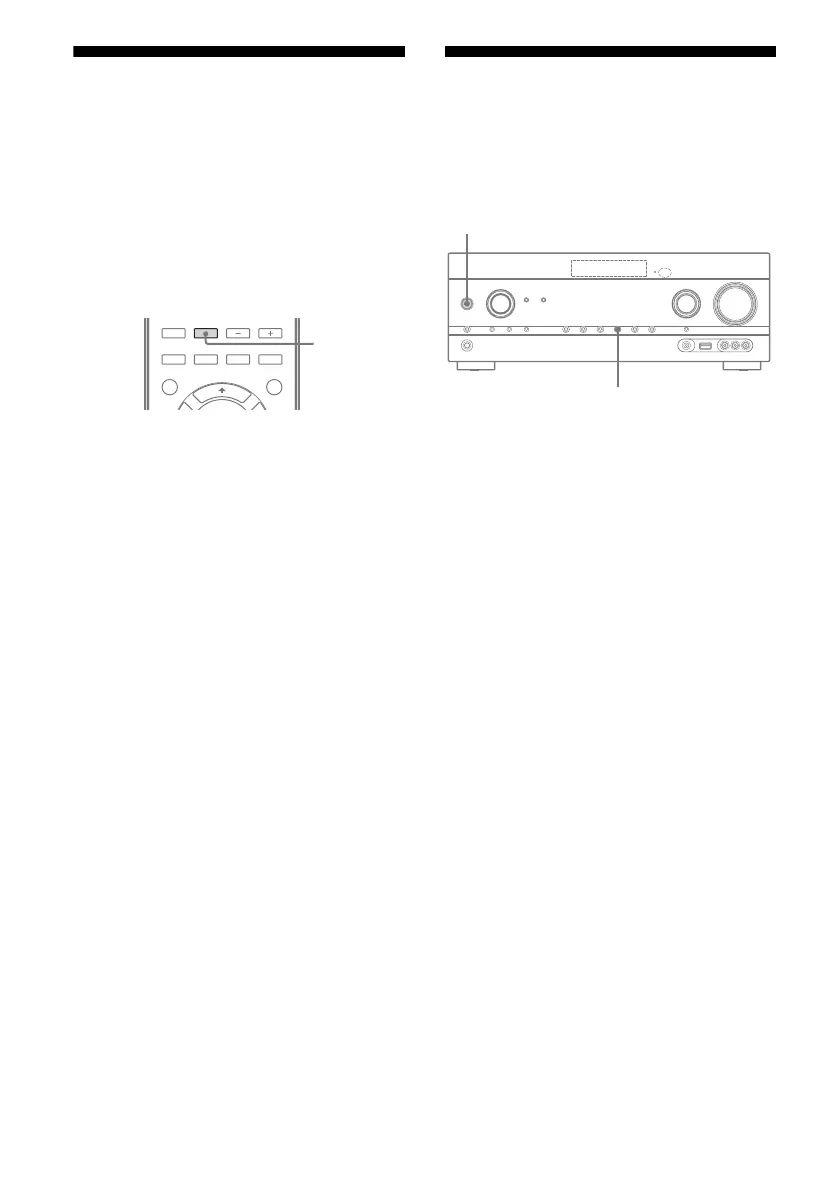
Press SOUND OPTIMIZER to select
“SOUND.OP. ON”.
The Sound Optimizer function is activated.
The Sound Optimizer is set to on and off as
you press SOUND OPTIMIZER.
Note
This function does not work when “A. DIRECT” is
being used.
Resetting sound fields to
the default settings
Be sure to use the buttons on the receiver to
perform this operation.
1 Press ?/1 to turn off the
receiver.
2 While holding down MUSIC,
press ?/1.
“S.F. CLEAR” appears on the display
panel and all sound fields are reset to their
default setting.
SOUND
OPTIMIZER
?/1
MUSIC














 To Next Page