35
GB
D:\NORM'S JOB\SONY HA\SO0129\STR-DH820_PMRF_01\4266497112_GB\GB04GET_STR-
DH820-CEL.fm
masterpage: Right
STR-DH820
4-266-497-11(2)
Preparing the Receiver
3 Press V/v repeatedly to select
“Speaker”, then press or b.
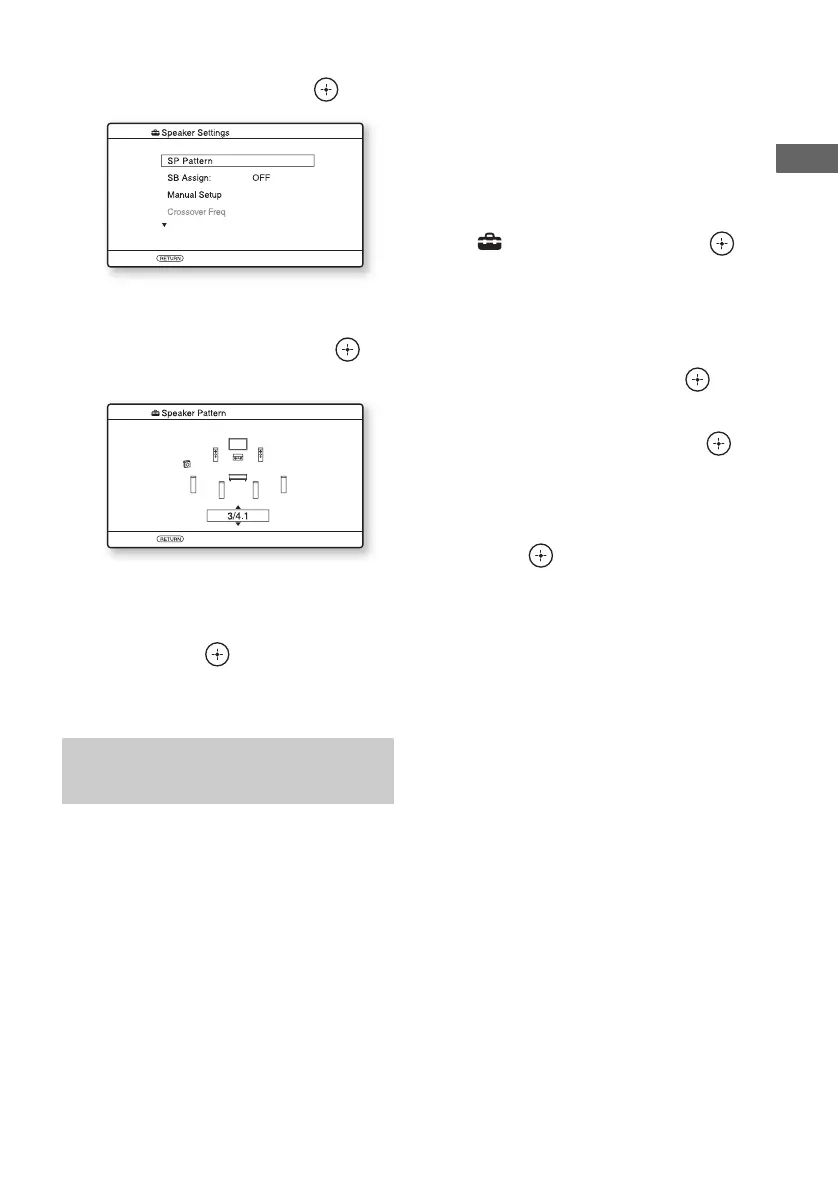
4 Press V/v repeatedly to select
“SP Pattern”, then press or
b.
5 Press V/v repeatedly to select
the speaker pattern you want,
then press .
6 Press RETURN/EXIT O.
You can switch the usage of the speaker(s)
connected to the SPEAKERS SURROUND
BACK/FRONT HIGH/BI-AMP/FRONT B
terminals in accordance with the intended use.
Notes
• This setting is only available if the “SP Pattern” is
set to a setting without surround back and front
high speakers.
• Be sure to set the “SB Assign” before you perform
Auto Calibration.
1 Press GUI MODE.
After “GUI ON” appears on the display
panel for a while, the GUI menu appears
on the TV screen.
Press MENU if the GUI menu does not
appear on the TV screen.
2 Press V/v repeatedly to select
“ Settings”, then press or
b.
The Settings menu list appears on the TV
screen.
3 Press V/v repeatedly to select
“Speaker”, then press or b.
4 Press V/v repeatedly to select
“SB Assign”, then press or
b.
5 Press V/v repeatedly to select
the parameter you want, then
press .
• Speaker B: If you connect an additional
front speaker system to the SPEAKERS
SURROUND BACK/FRONT HIGH/
BI-AMP/FRONT B terminals, select
“Speaker B”.
• BI-AMP: If you connect front speakers
to the SPEAKERS SURROUND
BACK/FRONT HIGH/BI-AMP/
FRONT B terminals using a bi-
amplifier connection, select “BI-AMP”.
• OFF: If you connect surround back or
front high speakers to the SPEAKERS
SURROUND BACK/FRONT HIGH/
BI-AMP/FRONT B terminals, select
“OFF”.
6 Press RETURN/EXIT O.
Setting the surround back
speakers














 To Next Page