65
US
Using Network Features
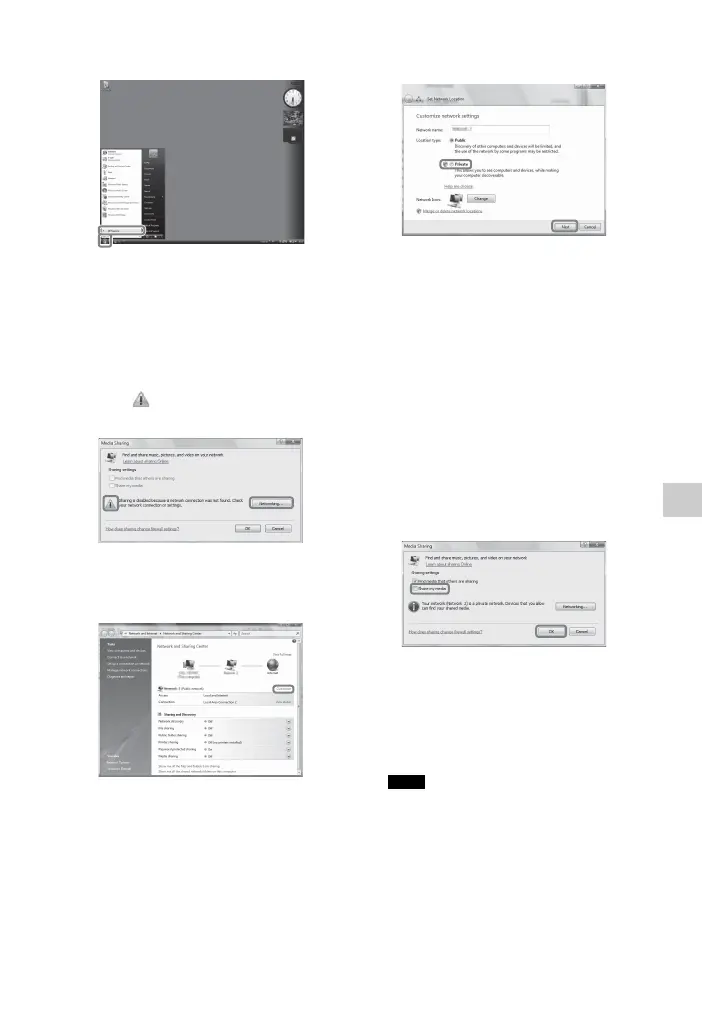
1 Go to [Start] – [All Programs].
2 Select [Windows Media Player].
Windows Media Player 11 starts up.
3 Select [Media Sharing…] from the
[Library] menu.
If you are using Windows XP, go to
step 9.
4 When is displayed, select
[Networking…].
The [Network and Sharing Center]
window appears.
5 Select [Customize].
The [Set Network Location] window
appears.
6 Check [Private] and select [Next].
7 Confirm that [Location type] is
changed to [Private], and select
[Close].
8 Confirm that [(Private network)] is
displayed on the [Network and
Sharing Center] window, and close
the window.
9 If [Share my media] in the [Media
Sharing] window that is displayed
in step 3 is not checked, check
[Share my media], then select
[OK].
A list of connectable devices is
displayed.
10Select [Settings…] that appears
beside [Share my media to:].
11Check [Allow new devices and
computers automatically] and
select [OK].
Uncheck this item after you confirm that the
receiver can be connected to the server and
play audio content stored on the server.
Note



 To Next Page